Game asset chibi rpg game campaign key visual prompt
Designed for mobile RPG event announcements, this prompt creates cheerful fantasy illustrations featuring adorable chibi characters and magical treasure chests.
by AI Guide-Note - 実務で使えるAI活用メディア·CC-BY-4.0 license·via YouMind (CC BY 4.0)·Source ↗
Use now
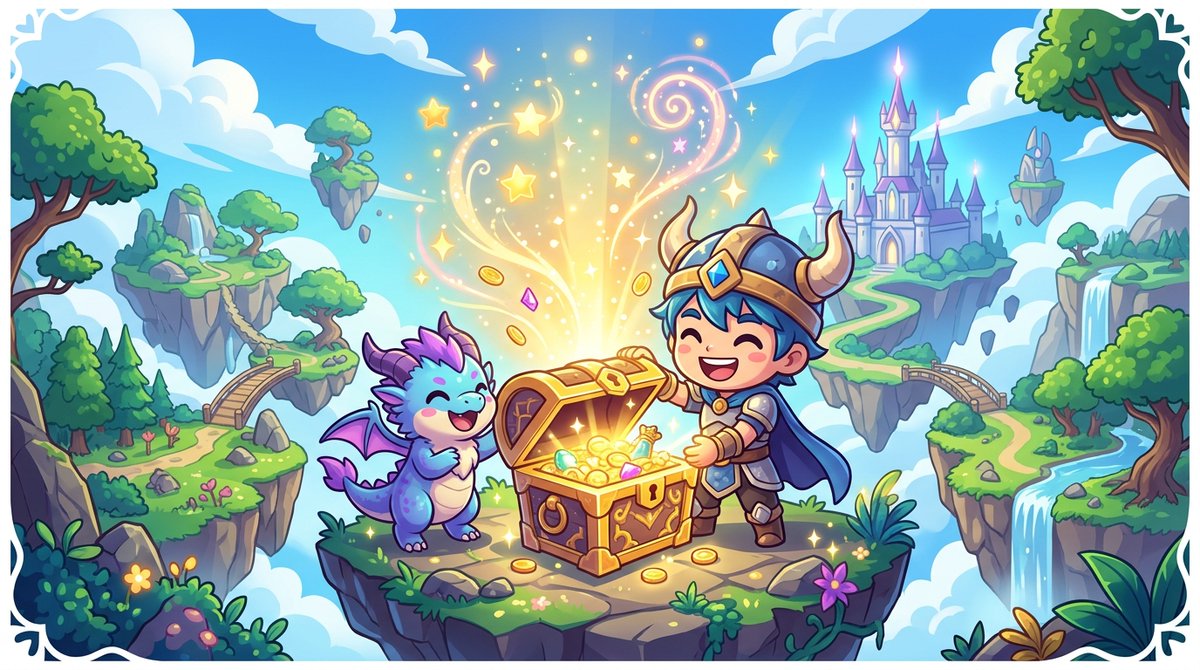
The sample the author posted with this prompt on its sourceview original
| 1 | [Game Campaign] |
| 2 | - Game Title: {argument name="game title" default="Treasure Hunt!"} |
| 3 | - Game Overview/Features: {argument name="description" default="Find treasures on a great adventure island!"} |
| 4 | - Genre/Subtext: {argument name="subtext" default="RPG Adventure Action!"} |
| 5 | |
| 6 | [Quality, Production, Composition] |
| 7 | - Style: Illustration for event announcements for Japanese mobile RPGs or casual games. A colorful and joyful fantasy world. |
| 8 | - Subject: Adorable chibi characters (deformed heroes or mascots) opening a treasure chest with smiles. Golden light and magical particles are overflowing dazzlingly from the chest. |
| 9 | - Background: Blue sky, white clouds, and islands or forests in a lush fantasy world. |
| 10 | - Typography (for GPT-image / Nano Banana Pro): A fantasy-style decorative logotype of {argument name="game title" default="Treasure Hunt!"} is designed in the center or top of the screen, with {argument name="description" default="Find treasures on a great adventure island!"} and {argument name="subtext" default="RPG Adventure Action!"} added in an easy-to-read layout. |
| 11 | - Color/Lighting: Bright, high-saturation fantasy colors, magical gloss, and soft shadow depiction. |
| 12 | |
| 13 | [Strict Layout and Output Constraints (Required)] |
| 14 | - Output the finished design itself, filling the entire screen. Backgrounds and scene descriptions (walls, spaces, shadows, etc.) within the design may follow the instructions in the main text. |
| 15 | - Prohibitions: Photos of the finished poster in a frame, photos pinned to a wall, mockup photos placed on a desk or paper, perspective distortion of paper edges, or drop shadows. |
| 16 | - Output the finished flat 2D design itself, filling the entire canvas. Scene elements inside the design (walls, rooms, shadows) described above are allowed. Absolutely NO photo-of-a-poster mockups: no picture frames, no poster-on-wall or poster-on-desk shots, no perspective warp or drop shadow around the artwork's edges. |
| 17 | |
| 18 | - Aspect Ratio: --ar 16:9 |
Discussion
Alternatives
 Scenario game assetsUse when creating game art through Scenario MCP: sprites, sprite sheets, icons, props, loot, tilesets and autotile terrain transitions, seamless tiles, isometric buildings, top-down maps, pixel art, UI buttons and panels, parallax background layers or depth planes for side-scrollers, and character or concept art; or when assets need transparent backgrounds, background removal, style-consistent variation batches, upscaling, pixel-grid cleanup, or PNG export for Unity, Godot, or Unreal.
 AI-Toolkit LoRA Trainer (WAN 2.2 & Z-Image)Train custom LoRAs with ostris AI-Toolkit. Covers WAN 2.2/2.1 (people, styles, video motion) and Z-Image (Turbo & Base, low-VRAM image LoRAs). Use when the user wants to train a WAN or Z-Image LoRA; covers local + RunPod setup, dataset prep, key params, and using the result in a ComfyUI workflow.ANIMA 1.0 (Anima Base Ultra) Text-to-Image WorkflowsAnime/illustration text-to-image (ANIMA 1.0, ~2B Cosmos DiT). Use for anime, manga, illustrated characters; accepts Danbooru tags + natural language; runs/trains on <6GB VRAM; includes anime inpainting via Anima-LLLite ControlNetAuthoring & Publishing ComfyUI Custom NodesAuthoring & publishing ComfyUI custom nodes to the Comfy Registry, covering node structure, pyproject.toml spec, comfy-cli publishing, and CI
Browse more free AI prompts or everything in Content creator.