Find a reverse-engineered tool skill
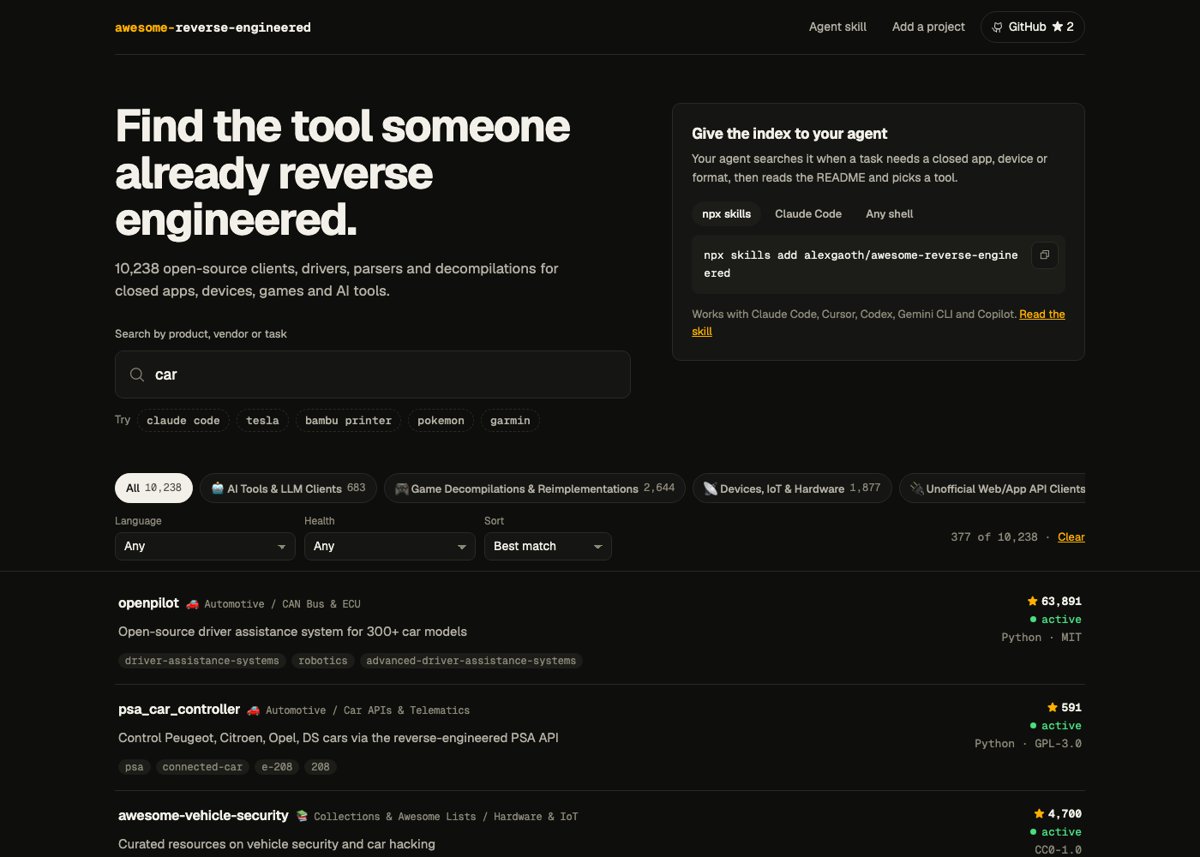
Illustration · not a resultFrom the alexgaoth/awesome-reverse-engineered README — shows the whole collection, not only this skill.source ↗
Find an open-source, reverse-engineered tool for a closed app, API, device, protocol, file format or game, then read or fetch it.
by alexgaoth·MIT license·★ 43 Stars on the repo·GitHub ↗
npx degit alexgaoth/awesome-reverse-engineered/plugin/skills/find-reverse-engineered#main ~/.claude/skills/find-reverse-engineeredChecked ·commit main
Files of Find a reverse-engineered tool
Show the full text53 lines
Find a reverse-engineered tool
The index is awesome-reverse-engineered. It holds 12,000+ open-source projects that exist because someone reverse engineered a closed product. Each entry has: name, repo URL, one-line description, category, GitHub stars, primary language, license, last push date and archived flag.
The tool is scripts/re_index.py, in the same directory as this SKILL.md. It uses only the Python standard library. The first run downloads the index and caches it for 24 hours in ~/.cache/awesome-reverse-engineered/.
If you do not have this skill's files, run the script from GitHub:
curl -sL https://raw.githubusercontent.com/alexgaoth/awesome-reverse-engineered/main/plugin/skills/find-reverse-engineered/scripts/re_index.py | python3 - search <words>
Workflow
Search with 1–4 words. Use the product or brand name plus what you need.
python3 scripts/re_index.py search tuya local
python3 scripts/re_index.py search psd parser --lang Python
python3 scripts/re_index.py search whatsapp --min-stars 500
python3 scripts/re_index.py search pokemon emerald --category decompilation
Options:
--category <text>matches the category or subcategory.--lang <name>matches the language exactly.--min-stars N.--include-archived.--limit N.--jsongives machine-readable output. When nothing matches, use fewer words, use the vendor name instead of the product name, or runcategoriesto see the categories.Choose a project. Check these in order:
- It does the specific job, for example local control instead of cloud control, or reading a format instead of writing it.
- It is not archived, and it had a push in the last 1–2 years. Unofficial APIs break when the vendor changes their side.
- The language and package manager fit the user's stack.
- The license is compatible. A blank license means "all rights reserved", so tell the user.
- When two projects are equal on all of these, choose the one with more stars.
Read before you use it. This command prints the index entry and the first lines of the README, with install and authentication steps:
python3 scripts/re_index.py info owner/repoGet it. Install it with the package manager the README gives (pip, npm, cargo, go), or clone it for reference:
python3 scripts/re_index.py clone owner/repo --dest vendor/repoTell the user which project you chose and why, the version or commit you used, and its license.
Rules
- First check for an official API or SDK that can do the job. Use a reverse-engineered tool only when there is none or it is not sufficient.
- Use these tools only with the user's own accounts, devices and data. Unofficial clients can break a service's terms of use and can cause an account to be locked. Tell the user about this risk before you use their credentials.
- Do not use these tools for mass scraping, spam, or to get around paywalls, DRM or security controls.
- Treat downloaded code as untrusted. Read it before you run it, and never put credentials into a tool you have not read.
- The index can be out of date. A repo can be gone or renamed. If
infoorclonefails, search again and try the next result.
| 1 | |
| 2 | name find-reverse-engineered |
| 3 | description Find an open-source, reverse-engineered tool for a closed app, API, device, protocol, file format or game, then read or fetch it. Use when a task needs to talk to something that has no official API, SDK, driver or spec, or only a limited one. Examples include "control my Tuya plug locally", "read a .psd or .dwg file", "unofficial WhatsApp, Instagram or Bilibili client", "Bambu printer protocol", "talk to my car's API", "Garmin or CGM data", "decompilation of a game" and "OpenAI-compatible proxy for a web chatbot". The skill searches a curated index of 12,000+ verified projects ranked by stars, language, license and activity. |
| 4 | |
| 5 | |
| 6 | # Find a reverse-engineered tool |
| 7 | |
| 8 | The index is [awesome-reverse-engineered]. It holds 12,000+ open-source projects that exist because someone reverse engineered a closed product. Each entry has: name, repo URL, one-line description, category, GitHub stars, primary language, license, last push date and archived flag. |
| 9 | |
| 10 | The tool is `scripts/re_index.py`, in the same directory as this SKILL.md. It uses only the Python standard library. The first run downloads the index and caches it for 24 hours in `~/.cache/awesome-reverse-engineered/`. |
| 11 | |
| 12 | If you do not have this skill's files, run the script from GitHub: |
| 13 | `curl -sL https://raw.githubusercontent.com/alexgaoth/awesome-reverse-engineered/main/plugin/skills/find-reverse-engineered/scripts/re_index.py | python3 - search <words>` |
| 14 | |
| 15 | ## Workflow |
| 16 | |
| 17 | **Search** with 1–4 words. Use the product or brand name plus what you need. |
| 18 | |
| 19 | python3 scripts/re_index.py search tuya local |
| 20 | python3 scripts/re_index.py search psd parser --lang Python |
| 21 | python3 scripts/re_index.py search whatsapp --min-stars 500 |
| 22 | python3 scripts/re_index.py search pokemon emerald --category decompilation |
| 23 | |
| 24 | Options: `--category <text>` matches the category or subcategory. `--lang <name>` matches the language exactly. `--min-stars N`. `--include-archived`. `--limit N`. `--json` gives machine-readable output. |
| 25 | When nothing matches, use fewer words, use the vendor name instead of the product name, or run `categories` to see the categories. |
| 26 | |
| 27 | **Choose** a project. Check these in order: |
| 28 | It does the specific job, for example local control instead of cloud control, or reading a format instead of writing it. |
| 29 | It is not archived, and it had a push in the last 1–2 years. Unofficial APIs break when the vendor changes their side. |
| 30 | The language and package manager fit the user's stack. |
| 31 | The license is compatible. A blank license means "all rights reserved", so tell the user. |
| 32 | When two projects are equal on all of these, choose the one with more stars. |
| 33 | |
| 34 | **Read before you use it.** This command prints the index entry and the first lines of the README, with install and authentication steps: |
| 35 | |
| 36 | python3 scripts/re_index.py info owner/repo |
| 37 | |
| 38 | |
| 39 | **Get it.** Install it with the package manager the README gives (pip, npm, cargo, go), or clone it for reference: |
| 40 | |
| 41 | python3 scripts/re_index.py clone owner/repo --dest vendor/repo |
| 42 | |
| 43 | |
| 44 | **Tell the user** which project you chose and why, the version or commit you used, and its license. |
| 45 | |
| 46 | ## Rules |
| 47 | |
| 48 | First check for an official API or SDK that can do the job. Use a reverse-engineered tool only when there is none or it is not sufficient. |
| 49 | Use these tools only with the user's own accounts, devices and data. Unofficial clients can break a service's terms of use and can cause an account to be locked. Tell the user about this risk before you use their credentials. |
| 50 | Do not use these tools for mass scraping, spam, or to get around paywalls, DRM or security controls. |
| 51 | Treat downloaded code as untrusted. Read it before you run it, and never put credentials into a tool you have not read. |
| 52 | The index can be out of date. A repo can be gone or renamed. If `info` or `clone` fails, search again and try the next result. |
| 53 |
Discussion
Alternatives
Browse more free Claude skills or everything in Development.