Content migration
Move content between platforms, domains, or URL structures while preserving SEO equity, user bookmarks, and integrations.
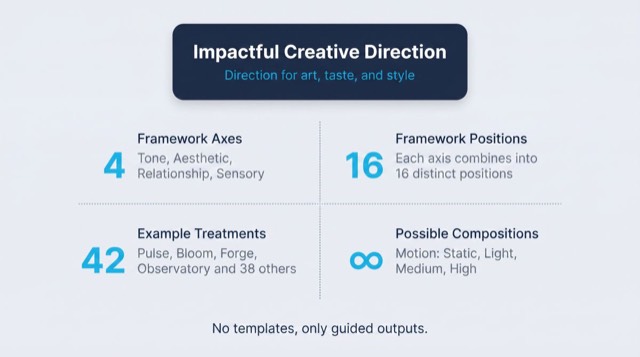
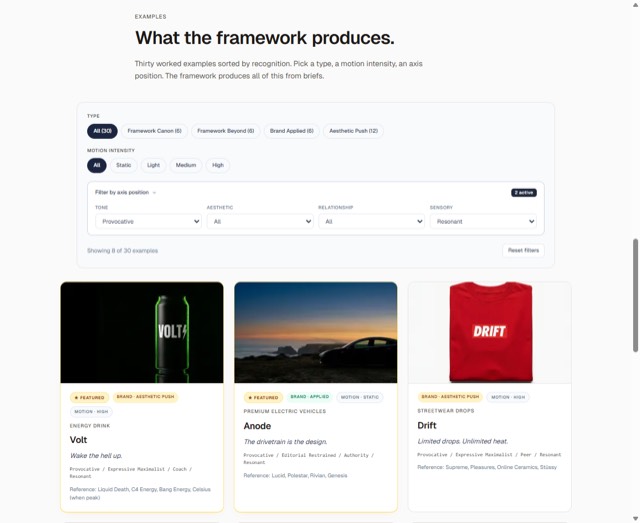
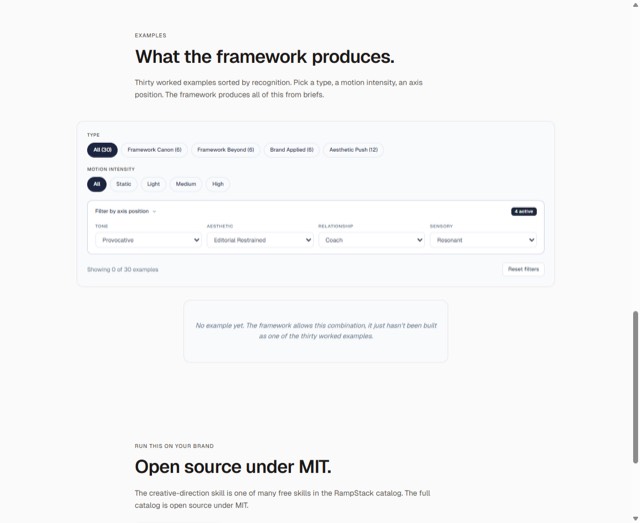
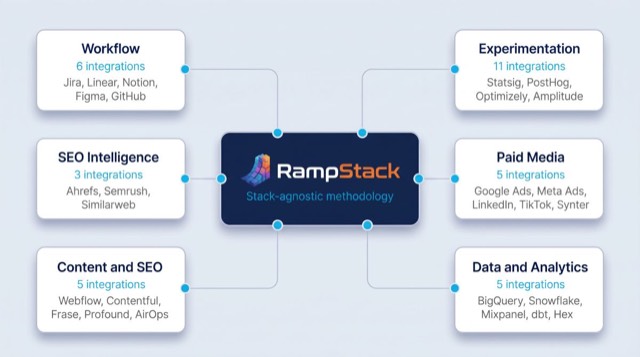
From the rampstackco/claude-skills README — shows the whole collection, not only this skill. · view on GitHub
How to use it
Claude Code
- Run the line below. It pulls the whole folder into
~/.claude/skills/content-migration, including the files SKILL.md points to. - Describe your job in plain words. Claude Code follows the skill from there.
npx degit rampstackco/claude-skills/skills/content-migration#main ~/.claude/skills/content-migrationFor one project only, change the path to .claude/skills/content-migration. This skill also uses robots.txt — copying SKILL.md alone won't be enough. See the folder on GitHub.
Claude (web or desktop app)
- On this page open ⋯ → Download .md.
- Save it as SKILL.md in a folder, zip the folder, then Customize → Skills → + → Create skill → Upload a skill.
- Pick the file and Save. Claude shows the name and description and runs a security scan.
- Check the skill is switched on.
- Start a new chat and describe your job in plain words. The AI follows the skill from there.
ChatGPT or another app
- ChatGPT: make a Project and paste it into Instructions.
- Neither? Paste it at the top of a new chat — it works for that chat.
Not working?
- Check which app you pasted it into — the steps above name the right one.
- Some skills need the paid tier of Claude or ChatGPT.
Paste into Claude, ChatGPT or Cursor.
Source of Content migration
Show the full text266 lines
| name | description | category | catalog_summary | display_order |
|---|---|---|---|---|
| content-migration | Move content between platforms, domains, or URL structures while preserving SEO equity, user bookmarks, and integrations. Use this skill when planning a CMS migration, replatforming, consolidating sites, changing URL structures, or merging content from multiple sources. Triggers on content migration, replatform, CMS migration, domain migration, URL restructure, redirect map, site merge, content consolidation, migration plan, post-migration drop. Also triggers when planning a launch that involves moving existing content. | cross-cutting | Platform migrations with SEO equity preservation | 2 |
Content Migration
Move content from one platform, domain, or URL structure to another without breaking SEO, user bookmarks, or downstream integrations. Stack-agnostic.
When to use
- Migrating from one CMS to another (e.g., WordPress to a headless setup)
- Consolidating multiple sites into one
- Splitting one site into multiple
- Changing URL structures
- Domain migration (one brand to another, mergers, rebrands)
- Migrating from a custom build to a platform (or vice versa)
- Content audit-driven cleanup as part of a larger move
When NOT to use
- A net-new site with no existing content (no migration needed)
- Single-page edits or content updates within an existing site (use
content-and-copy) - Performance or technical SEO improvements without URL changes (use
seo-technical) - Routine content audits (use
seo-content-audit)
Required inputs
- The source: current platform, current URL structure, current content inventory
- The destination: target platform, target URL structure, target capabilities
- The reason for migration (drives priority of what to preserve)
- Constraints (timeline, budget, downtime tolerance)
- Stakeholders (SEO, content, dev, comms, support)
The framework: 6 phases
Every content migration follows the same arc. Skipping a phase is how migrations go badly.
Phase 1: Inventory
You can't migrate what you don't know. Build a complete map of what exists.
For each piece of content:
- URL
- Title
- Content type (article, landing page, product, doc, etc.)
- Status (live, draft, archived, scheduled)
- Last modified
- Author or owner
- Traffic (last 12 months), or state the gap per the data-availability rule
- Backlinks (top external referrers)
- Internal links pointing to it
- Embedded assets (images, video, downloads)
Pull from: CMS export, XML sitemap, server logs, analytics, search console, backlink tool.
The inventory is a spreadsheet. It's the source of truth for the rest of the migration.
Phase 2: Audit and decide
For each piece of content, decide:
- Keep: migrate as-is
- Update: migrate with edits (refresh, expand, fix)
- Merge: combine with another piece, redirect both old URLs to the new
- Redirect: don't migrate; redirect to a related page
- Delete: don't migrate, no redirect (use sparingly; only for clearly low-value pages)
This is seo-content-audit work. The migration is the time to do it; not the time to skip it.
For each "Update" or "Merge," document the specific changes.
Phase 3: Map URLs
The URL map is the most important migration artifact.
| Old URL | New URL | Status code | Reason |
|---|---|---|---|
| /old/path | /new/path | 301 | Direct equivalent |
| /old/page-1, /old/page-2 | /new/merged | 301 | Merged content |
| /old/deprecated | /related/replacement | 301 | Closest replacement |
| /old/junk | (none) | 410 | Intentionally gone |
Rules:
- 301 (permanent redirect) for content that has a new home
- 410 (gone) for intentionally deleted content
- Avoid 404 (not found) where 410 is more accurate
- Never redirect everything to the homepage; specific is always better
- Map every URL with traffic or backlinks; lower-priority URLs can be patterned
For domain migrations, use a 1:1 path mapping by default (old.com/page → new.com/page) with specific overrides where structure changes.
Phase 4: Build and stage
Build the destination. Don't skip a staging environment.
- Set up the new platform with the new content
- Implement the URL map (most platforms support a redirect file or rule)
- Verify a representative sample of redirects work
- Test critical user flows (signup, purchase, contact)
- Validate analytics, monitoring, and integrations
- Test from search engine perspective: robots.txt, sitemap, canonicals
If possible, get the destination crawled by Google before the cutover, so it's already indexed when redirects flip.
Phase 5: Cut over
The actual switch. Plan it like a launch (and use launch-runbook alongside this skill).
Pre-cutover:
- Comms to stakeholders (date, expected impact)
- Comms to users if downtime expected
- Support team prepped for likely questions
- Lower DNS TTL the day before (1-3 days for safety)
- Backup of source platform (in case rollback is needed)
Cutover:
- Redirect rules go live
- DNS changes go live
- New sitemap submitted to search engines
- Old sitemap removed or updated
- Internal links audited and updated to point to new URLs (where possible)
- Status page or banner if user-visible disruption
Immediately post-cutover:
- Smoke test top 50 pages from the inventory
- Verify redirects are 301 (not 302)
- Verify search console for errors
- Watch real-time traffic for unexpected drops
- Watch error logs for missing assets, broken integrations
Phase 6: Monitor and recover
The migration isn't done at cutover. The next 30-90 days reveal problems.
Watch:
- Traffic: expect a temporary drop (10-30% is common); should recover in 4-8 weeks. A persistent drop beyond that is a problem.
- Indexing: new URLs should be crawled and indexed. Check coverage in search console.
- Rankings: track top keywords. A position drop is normal; a position cliff is a sign of a redirect or canonical problem.
- Backlinks: check that linked-from-elsewhere pages still resolve to the right destination.
- 404s: any URL getting 404s that should have been redirected? Add to the map.
- User reports: support tickets, social media. Are users finding their old links?
Common 30-day fixes:
- Add missed redirects from 404 patterns
- Update internal links you missed
- Re-submit sitemap if indexing stalls
- Investigate and fix any crawl errors
Workflow
Step 1: Set the scope
What's in scope? What's out? Write it down. Migrations expand if not bounded.
Step 2: Build the inventory
Pull every URL, traffic, backlinks, internal links. The spreadsheet is the artifact.
Step 3: Decide per piece
Keep, update, merge, redirect, delete. Document decisions.
Step 4: Map URLs
The complete redirect map. Reviewed by SEO and content stakeholders.
Step 5: Build the destination
In a staging environment. Real content (or representative content). Real redirects.
Step 6: Test
- Sample of redirects (top 20 by traffic, top 20 by backlinks, edge cases)
- Critical flows (signup, checkout, contact)
- Analytics and monitoring
- Search-engine perspective (robots.txt, sitemap, canonicals)
Step 7: Cut over
Following the cutover checklist. Have rollback ready.
Step 8: Monitor
Daily for the first week. Weekly for the first month. Monthly through 90 days.
Step 9: Document the result
What worked. What didn't. Lessons. (See after-action-report.)
Failure patterns
No URL inventory. Migration team thinks they have everything. They don't. Old PDFs, archived posts, marketing landing pages with backlinks. Build the inventory.
302 redirects instead of 301. 302 is temporary. SEO equity doesn't reliably pass. Use 301 unless you have a specific reason.
Redirecting everything to the homepage. "We'll let users find their way." They won't. They'll bounce. Map specifically.
Long redirect chains. /a → /b → /c → /d. Each hop loses a little equity and adds latency. Collapse to /a → /d.
Forgetting non-HTML URLs. PDFs, images, downloads. They have URLs too. They have backlinks too. Include in the map.
Forgetting query strings. /page?id=123 is a different URL than /page. Patterns or specific maps for query string variants.
Ignoring trailing slashes. /page and /page/ are different to most servers. Pick one canonical form. Redirect the other.
No staging. The first time the migration runs is in production. Things break. Stage and test.
Stage that's too different from production. Different DNS, different CDN, different platform. Tests pass on staging, fail on production. Stage as close to prod as feasible.
Leaving the source live. Two sites serving the same content. Duplicate content, split equity, user confusion. Take down the source after confirming the destination is solid.
Leaving the source domain unrenewed. Domain expires, redirects break, traffic dies. Renew the source domain for a long time, even if you're not using it.
Big-bang migration with no rollback plan. Something goes wrong. Now what? Plan rollback before cutover.
Cutover during a busy period. End of quarter, holiday season, big campaign. Bad timing. Pick a quiet period.
No comms. Users find their bookmarks broken with no warning. Some won't come back. Communicate.
Migration as a one-time event. It's not done at cutover. Monitor for 30-90 days. Fix what surfaces.
Treating migration as just a dev project. SEO, content, support, comms all need to be involved. Cross-functional from day one.
Output format
A migration plan document includes:
- Scope: what's in, what's out
- Inventory: the URL spreadsheet
- Audit decisions: keep, update, merge, redirect, delete
- URL map: old to new, with status codes
- Architecture: new platform setup, redirect implementation
- Cutover plan: the runbook for switch day
- Rollback plan: if it goes wrong
- Monitoring plan: what's watched, for how long
- Comms plan: internal and external
- Owners and timeline: who does what when
If required data is unavailable
This skill's output depends on data, measurements, or tool results it cannot generate on its own. When a required input, tool, or data source is unavailable or unverifiable, the sanctioned output is the deliverable with the gap stated: what was needed, what was actually obtained or verified, and which parts of the output are affected. Fabricating, estimating, or interpolating a required number to complete the deliverable is never sanctioned. A stated gap is a complete answer.
Reference files
references/migration-runbook.md: Step-by-step runbook for cutover day, including pre-flight checks, the actual switch, immediate verification, and the first 24 hours of monitoring.
| 1 | |
| 2 | name content-migration |
| 3 | description "Move content between platforms, domains, or URL structures while preserving SEO equity, user bookmarks, and integrations. Use this skill when planning a CMS migration, replatforming, consolidating sites, changing URL structures, or merging content from multiple sources. Triggers on content migration, replatform, CMS migration, domain migration, URL restructure, redirect map, site merge, content consolidation, migration plan, post-migration drop. Also triggers when planning a launch that involves moving existing content." |
| 4 | category cross-cutting |
| 5 | catalog_summary "Platform migrations with SEO equity preservation" |
| 6 | display_order 2 |
| 7 | |
| 8 | |
| 9 | # Content Migration |
| 10 | |
| 11 | Move content from one platform, domain, or URL structure to another without breaking SEO, user bookmarks, or downstream integrations. Stack-agnostic. |
| 12 | |
| 13 | |
| 14 | |
| 15 | ## When to use |
| 16 | |
| 17 | Migrating from one CMS to another (e.g., WordPress to a headless setup) |
| 18 | Consolidating multiple sites into one |
| 19 | Splitting one site into multiple |
| 20 | Changing URL structures |
| 21 | Domain migration (one brand to another, mergers, rebrands) |
| 22 | Migrating from a custom build to a platform (or vice versa) |
| 23 | Content audit-driven cleanup as part of a larger move |
| 24 | |
| 25 | ## When NOT to use |
| 26 | |
| 27 | A net-new site with no existing content (no migration needed) |
| 28 | Single-page edits or content updates within an existing site (use `content-and-copy`) |
| 29 | Performance or technical SEO improvements without URL changes (use `seo-technical`) |
| 30 | Routine content audits (use `seo-content-audit`) |
| 31 | |
| 32 | |
| 33 | |
| 34 | ## Required inputs |
| 35 | |
| 36 | The source: current platform, current URL structure, current content inventory |
| 37 | The destination: target platform, target URL structure, target capabilities |
| 38 | The reason for migration (drives priority of what to preserve) |
| 39 | Constraints (timeline, budget, downtime tolerance) |
| 40 | Stakeholders (SEO, content, dev, comms, support) |
| 41 | |
| 42 | |
| 43 | |
| 44 | ## The framework: 6 phases |
| 45 | |
| 46 | Every content migration follows the same arc. Skipping a phase is how migrations go badly. |
| 47 | |
| 48 | ### Phase 1: Inventory |
| 49 | |
| 50 | You can't migrate what you don't know. Build a complete map of what exists. |
| 51 | |
| 52 | For each piece of content: |
| 53 | URL |
| 54 | Title |
| 55 | Content type (article, landing page, product, doc, etc.) |
| 56 | Status (live, draft, archived, scheduled) |
| 57 | Last modified |
| 58 | Author or owner |
| 59 | Traffic (last 12 months), or state the gap per the data-availability rule |
| 60 | Backlinks (top external referrers) |
| 61 | Internal links pointing to it |
| 62 | Embedded assets (images, video, downloads) |
| 63 | |
| 64 | Pull from: CMS export, XML sitemap, server logs, analytics, search console, backlink tool. |
| 65 | |
| 66 | The inventory is a spreadsheet. It's the source of truth for the rest of the migration. |
| 67 | |
| 68 | ### Phase 2: Audit and decide |
| 69 | |
| 70 | For each piece of content, decide: |
| 71 | |
| 72 | **Keep:** migrate as-is |
| 73 | **Update:** migrate with edits (refresh, expand, fix) |
| 74 | **Merge:** combine with another piece, redirect both old URLs to the new |
| 75 | **Redirect:** don't migrate; redirect to a related page |
| 76 | **Delete:** don't migrate, no redirect (use sparingly; only for clearly low-value pages) |
| 77 | |
| 78 | This is `seo-content-audit` work. The migration is the time to do it; not the time to skip it. |
| 79 | |
| 80 | For each "Update" or "Merge," document the specific changes. |
| 81 | |
| 82 | ### Phase 3: Map URLs |
| 83 | |
| 84 | The URL map is the most important migration artifact. |
| 85 | |
| 86 | | Old URL | New URL | Status code | Reason | |
| 87 | |---|---|---|---| |
| 88 | | /old/path | /new/path | 301 | Direct equivalent | |
| 89 | | /old/page-1, /old/page-2 | /new/merged | 301 | Merged content | |
| 90 | | /old/deprecated | /related/replacement | 301 | Closest replacement | |
| 91 | | /old/junk | (none) | 410 | Intentionally gone | |
| 92 | |
| 93 | Rules: |
| 94 | 301 (permanent redirect) for content that has a new home |
| 95 | 410 (gone) for intentionally deleted content |
| 96 | Avoid 404 (not found) where 410 is more accurate |
| 97 | Never redirect everything to the homepage; specific is always better |
| 98 | Map every URL with traffic or backlinks; lower-priority URLs can be patterned |
| 99 | |
| 100 | For domain migrations, use a 1:1 path mapping by default (`old.com/page` → `new.com/page`) with specific overrides where structure changes. |
| 101 | |
| 102 | ### Phase 4: Build and stage |
| 103 | |
| 104 | Build the destination. Don't skip a staging environment. |
| 105 | |
| 106 | Set up the new platform with the new content |
| 107 | Implement the URL map (most platforms support a redirect file or rule) |
| 108 | Verify a representative sample of redirects work |
| 109 | Test critical user flows (signup, purchase, contact) |
| 110 | Validate analytics, monitoring, and integrations |
| 111 | Test from search engine perspective: robots.txt, sitemap, canonicals |
| 112 | |
| 113 | If possible, get the destination crawled by Google before the cutover, so it's already indexed when redirects flip. |
| 114 | |
| 115 | ### Phase 5: Cut over |
| 116 | |
| 117 | The actual switch. Plan it like a launch (and use `launch-runbook` alongside this skill). |
| 118 | |
| 119 | Pre-cutover: |
| 120 | Comms to stakeholders (date, expected impact) |
| 121 | Comms to users if downtime expected |
| 122 | Support team prepped for likely questions |
| 123 | Lower DNS TTL the day before (1-3 days for safety) |
| 124 | Backup of source platform (in case rollback is needed) |
| 125 | |
| 126 | Cutover: |
| 127 | Redirect rules go live |
| 128 | DNS changes go live |
| 129 | New sitemap submitted to search engines |
| 130 | Old sitemap removed or updated |
| 131 | Internal links audited and updated to point to new URLs (where possible) |
| 132 | Status page or banner if user-visible disruption |
| 133 | |
| 134 | Immediately post-cutover: |
| 135 | Smoke test top 50 pages from the inventory |
| 136 | Verify redirects are 301 (not 302) |
| 137 | Verify search console for errors |
| 138 | Watch real-time traffic for unexpected drops |
| 139 | Watch error logs for missing assets, broken integrations |
| 140 | |
| 141 | ### Phase 6: Monitor and recover |
| 142 | |
| 143 | The migration isn't done at cutover. The next 30-90 days reveal problems. |
| 144 | |
| 145 | Watch: |
| 146 | **Traffic:** expect a temporary drop (10-30% is common); should recover in 4-8 weeks. A persistent drop beyond that is a problem. |
| 147 | **Indexing:** new URLs should be crawled and indexed. Check coverage in search console. |
| 148 | **Rankings:** track top keywords. A position drop is normal; a position cliff is a sign of a redirect or canonical problem. |
| 149 | **Backlinks:** check that linked-from-elsewhere pages still resolve to the right destination. |
| 150 | **404s:** any URL getting 404s that should have been redirected? Add to the map. |
| 151 | **User reports:** support tickets, social media. Are users finding their old links? |
| 152 | |
| 153 | Common 30-day fixes: |
| 154 | Add missed redirects from 404 patterns |
| 155 | Update internal links you missed |
| 156 | Re-submit sitemap if indexing stalls |
| 157 | Investigate and fix any crawl errors |
| 158 | |
| 159 | |
| 160 | |
| 161 | ## Workflow |
| 162 | |
| 163 | ### Step 1: Set the scope |
| 164 | |
| 165 | What's in scope? What's out? Write it down. Migrations expand if not bounded. |
| 166 | |
| 167 | ### Step 2: Build the inventory |
| 168 | |
| 169 | Pull every URL, traffic, backlinks, internal links. The spreadsheet is the artifact. |
| 170 | |
| 171 | ### Step 3: Decide per piece |
| 172 | |
| 173 | Keep, update, merge, redirect, delete. Document decisions. |
| 174 | |
| 175 | ### Step 4: Map URLs |
| 176 | |
| 177 | The complete redirect map. Reviewed by SEO and content stakeholders. |
| 178 | |
| 179 | ### Step 5: Build the destination |
| 180 | |
| 181 | In a staging environment. Real content (or representative content). Real redirects. |
| 182 | |
| 183 | ### Step 6: Test |
| 184 | |
| 185 | Sample of redirects (top 20 by traffic, top 20 by backlinks, edge cases) |
| 186 | Critical flows (signup, checkout, contact) |
| 187 | Analytics and monitoring |
| 188 | Search-engine perspective (robots.txt, sitemap, canonicals) |
| 189 | |
| 190 | ### Step 7: Cut over |
| 191 | |
| 192 | Following the cutover checklist. Have rollback ready. |
| 193 | |
| 194 | ### Step 8: Monitor |
| 195 | |
| 196 | Daily for the first week. Weekly for the first month. Monthly through 90 days. |
| 197 | |
| 198 | ### Step 9: Document the result |
| 199 | |
| 200 | What worked. What didn't. Lessons. (See `after-action-report`.) |
| 201 | |
| 202 | |
| 203 | |
| 204 | ## Failure patterns |
| 205 | |
| 206 | **No URL inventory.** Migration team thinks they have everything. They don't. Old PDFs, archived posts, marketing landing pages with backlinks. Build the inventory. |
| 207 | |
| 208 | **302 redirects instead of 301.** 302 is temporary. SEO equity doesn't reliably pass. Use 301 unless you have a specific reason. |
| 209 | |
| 210 | **Redirecting everything to the homepage.** "We'll let users find their way." They won't. They'll bounce. Map specifically. |
| 211 | |
| 212 | **Long redirect chains.** /a → /b → /c → /d. Each hop loses a little equity and adds latency. Collapse to /a → /d. |
| 213 | |
| 214 | **Forgetting non-HTML URLs.** PDFs, images, downloads. They have URLs too. They have backlinks too. Include in the map. |
| 215 | |
| 216 | **Forgetting query strings.** `/page?id=123` is a different URL than `/page`. Patterns or specific maps for query string variants. |
| 217 | |
| 218 | **Ignoring trailing slashes.** `/page` and `/page/` are different to most servers. Pick one canonical form. Redirect the other. |
| 219 | |
| 220 | **No staging.** The first time the migration runs is in production. Things break. Stage and test. |
| 221 | |
| 222 | **Stage that's too different from production.** Different DNS, different CDN, different platform. Tests pass on staging, fail on production. Stage as close to prod as feasible. |
| 223 | |
| 224 | **Leaving the source live.** Two sites serving the same content. Duplicate content, split equity, user confusion. Take down the source after confirming the destination is solid. |
| 225 | |
| 226 | **Leaving the source domain unrenewed.** Domain expires, redirects break, traffic dies. Renew the source domain for a long time, even if you're not using it. |
| 227 | |
| 228 | **Big-bang migration with no rollback plan.** Something goes wrong. Now what? Plan rollback before cutover. |
| 229 | |
| 230 | **Cutover during a busy period.** End of quarter, holiday season, big campaign. Bad timing. Pick a quiet period. |
| 231 | |
| 232 | **No comms.** Users find their bookmarks broken with no warning. Some won't come back. Communicate. |
| 233 | |
| 234 | **Migration as a one-time event.** It's not done at cutover. Monitor for 30-90 days. Fix what surfaces. |
| 235 | |
| 236 | **Treating migration as just a dev project.** SEO, content, support, comms all need to be involved. Cross-functional from day one. |
| 237 | |
| 238 | |
| 239 | |
| 240 | ## Output format |
| 241 | |
| 242 | A migration plan document includes: |
| 243 | |
| 244 | **Scope:** what's in, what's out |
| 245 | **Inventory:** the URL spreadsheet |
| 246 | **Audit decisions:** keep, update, merge, redirect, delete |
| 247 | **URL map:** old to new, with status codes |
| 248 | **Architecture:** new platform setup, redirect implementation |
| 249 | **Cutover plan:** the runbook for switch day |
| 250 | **Rollback plan:** if it goes wrong |
| 251 | **Monitoring plan:** what's watched, for how long |
| 252 | **Comms plan:** internal and external |
| 253 | **Owners and timeline:** who does what when |
| 254 | |
| 255 | |
| 256 | |
| 257 | ## If required data is unavailable |
| 258 | |
| 259 | This skill's output depends on data, measurements, or tool results it cannot generate on its own. When a required input, tool, or data source is unavailable or unverifiable, the sanctioned output is the deliverable with the gap stated: what was needed, what was actually obtained or verified, and which parts of the output are affected. Fabricating, estimating, or interpolating a required number to complete the deliverable is never sanctioned. A stated gap is a complete answer. |
| 260 | |
| 261 | |
| 262 | |
| 263 | ## Reference files |
| 264 | |
| 265 | [`references/migration-runbook.md`]: Step-by-step runbook for cutover day, including pre-flight checks, the actual switch, immediate verification, and the first 24 hours of monitoring. |
| 266 |
Discussion
Browse more free Claude skills or everything in Marketing.