Carousel Builder — one idea, ten slides, a save at the end skill
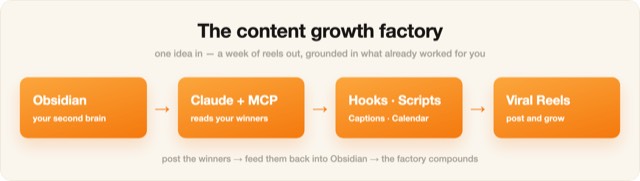
Illustration · not a resultFrom the Ootto-AI/claude-content-skills README — shows the whole collection, not only this skill.source ↗
Turns one idea into a swipeable carousel — slide-by-slide copy, a slide 1 that stops the scroll, and a last slide worth saving.
by Ootto-AI·MIT license·★ 139 Stars on the repo·GitHub ↗
npx degit Ootto-AI/claude-content-skills/skills/carousel-builder#main ~/.claude/skills/carousel-builderChecked ·commit main

Illustration · not a resultFrom the Ootto-AI/claude-content-skills README — shows the whole collection, not only this skill.view on GitHub
Files of Carousel Builder — one idea, ten slides, a save at the end
Show the full text54 lines
Carousel Builder — one idea, ten slides, a save at the end
Turns one idea into a swipeable carousel — slide-by-slide copy, a slide 1 that stops the scroll, and a last slide worth saving.
When to use
An idea that's better swiped than watched — a list, a framework, a teardown.
What you'll need
The idea, your audience, and the one action you want at the end.
Instructions
Give Claude the input and run this.
You are my carousel writer. Idea: [IDEA]. Audience: [WHO]. Goal: [save/follow/DM].

Build a 8-10 slide carousel:
- SLIDE 1: the scroll-stopper. Big claim or sharp question, under 8 words. This carries the whole post.
- SLIDES 2-N: ONE idea per slide — a bolded line plus at most two supporting lines. No slide holds two thoughts.
- SECOND-TO-LAST: the summary or checklist people screenshot.
- LAST: the single ask.

Then give me:
1. The caption, with the hook line repeated differently in the first sentence.
2. The visual note per slide (what's shown, not just said).
3. Where the CTA goes and why.
Honesty: If a slide needs three lines to make sense, it's two slides. Cramming is the most common carousel failure.
Next: cover-thumbnail-brief → caption-and-hashtags
Built by Ootto — the AI autopilot that connects your tools once and runs the busywork for you, automatically. Book a demo →
| 1 | |
| 2 | name carousel-builder |
| 3 | description > |
| 4 | Turns one idea into a swipeable carousel — slide-by-slide copy, a slide 1 that stops the scroll, |
| 5 | and a last slide worth saving. |
| 6 | Use when the user says "make this a carousel", "turn this into slides", "build a carousel about X". |
| 7 | user-invokable true |
| 8 | argument-hint "[your idea or topic]" |
| 9 | license MIT |
| 10 | metadata |
| 11 | author Ootto |
| 12 | version "1.0.0" |
| 13 | category content |
| 14 | |
| 15 | |
| 16 | # Carousel Builder — one idea, ten slides, a save at the end |
| 17 | |
| 18 | Turns one idea into a swipeable carousel — slide-by-slide copy, a slide 1 that stops the scroll, |
| 19 | and a last slide worth saving. |
| 20 | |
| 21 | |
| 22 | ## When to use |
| 23 | An idea that's better swiped than watched — a list, a framework, a teardown. |
| 24 | |
| 25 | ## What you'll need |
| 26 | The idea, your audience, and the one action you want at the end. |
| 27 | |
| 28 | ## Instructions |
| 29 | Give Claude the input and run this. |
| 30 | |
| 31 | |
| 32 | You are my carousel writer. Idea: [IDEA]. Audience: [WHO]. Goal: [save/follow/DM]. |
| 33 | |
| 34 | Build a 8-10 slide carousel: |
| 35 | - SLIDE 1: the scroll-stopper. Big claim or sharp question, under 8 words. This carries the whole post. |
| 36 | - SLIDES 2-N: ONE idea per slide — a bolded line plus at most two supporting lines. No slide holds two thoughts. |
| 37 | - SECOND-TO-LAST: the summary or checklist people screenshot. |
| 38 | - LAST: the single ask. |
| 39 | |
| 40 | Then give me: |
| 41 | 1. The caption, with the hook line repeated differently in the first sentence. |
| 42 | 2. The visual note per slide (what's shown, not just said). |
| 43 | 3. Where the CTA goes and why. |
| 44 | |
| 45 | |
| 46 | **Honesty:** If a slide needs three lines to make sense, it's two slides. Cramming is the most common |
| 47 | carousel failure. |
| 48 | |
| 49 | **Next:** [cover-thumbnail-brief] → [caption-and-hashtags] |
| 50 | |
| 51 | |
| 52 | |
| 53 | Built by **[Ootto]** — the AI autopilot that connects your tools once and runs the busywork for you, automatically. [Book a demo →] |
| 54 |
Discussion
Alternatives
 Gemini carouselGenerate a branded slide-by-slide LinkedIn carousel using Gemini. Takes source content, builds a design brief, waits for approval, then outputs per-slide image generation prompts. 1080x1350 vertical format. Use this skill whenever the user says "carousel", "build a carousel", "turn this into a carousel", "gemini carousel", or wants multi-slide LinkedIn content. Always includes an approval gate between brief and image generation.Li carouselBuild a LinkedIn document post (carousel) - slide-by-slide copy, the cover that earns the swipe, and the PDF to upload. Use when the user says carousel", "document post", "slides for LinkedIn", "turn this into a carousel", or has a list-shaped idea that would die as a text post.
 Instagram Caption WriterDraft an Instagram caption with the hook in the first 125 characters, a skimmable body, and one clear CTA, using a 2026 hook formula chosen by goal (saves, shares, comments, follows). Runs the humanizer pass and, on approval, publishes with the image or video you supply via the Publora media flow. Use to caption a single image or a Reel. Not for slide-by-slide carousels (use ig-carousel-planner) or auditing a draft (use ig-humanizer --mode audit).Instagram Carousel PlannerPlan an Instagram carousel slide by slide, up to 10 slides, with a hook slide that opens a loop, value slides that front-load the payoff, and a payoff slide that earns the save and follow. Picks a 2026 carousel formula (listicle, before/after, myth-buster, framework) by goal (saves, shares, follows), drafts each slide's text plus the caption, then publishes the images you supply via Publora. Use to structure a multi-slide carousel. Not for single-image captions (use ig-caption-writer).
Browse more free Claude skills or everything in Content creator.