Test web applications with screen readers including
Screen reader testing

Test web applications with screen readers including VoiceOver, NVDA, and JAWS. Use when validating screen reader compatibility, debugging accessibility issues, or ensuring assistive technology support.
---
name: screen-reader-testing
description: Test web applications with screen readers including VoiceOver, NVDA, and JAWS. Use when validating screen reader compatibility, debugging accessibility issues, or ensuring assistive technology support.
---

# Screen Reader Testing

Practical guide to testing web applications with screen readers for comprehensive accessibility validation.

## When to Use This Skill

- Validating screen reader compatibility
- Testing ARIA implementations
- Debugging assistive technology issues
- Verifying form accessibility
- Testing dynamic content announcements
- Ensuring navigation accessibility
Overview
Practical guide to testing web applications with screen readers for comprehensive accessibility validation.
Manual install (npx, ZIP)
Claude Code
npx skills add wshobson/agents --skill screen-reader-testing -g -a claude-codeClaude Code (manual)
mkdir -p ~/.claude/skills && curl -sL https://codeload.github.com/wshobson/agents/tar.gz/4236bb91f839 \
  | tar -xz -C ~/.claude/skills --strip-components=4 agents-4236bb91f839/plugins/accessibility-compliance/skills/screen-reader-testing
Windows (PowerShell)
New-Item -ItemType Directory -Force "$HOME\.claude\skills" | Out-Null; Invoke-WebRequest "https://m.agentalley.io/zip/d9fbea1b5914e0a81781/screen-reader-testing.zip" -OutFile "$env:TEMP\screen-reader-testing.zip"; Expand-Archive "$env:TEMP\screen-reader-testing.zip" -DestinationPath "$HOME\.claude\skills" -ForceClaude.ai / desktop
Codex, Cursor, other agents
Connects with Agent Alley MCP · agentalley.io/mcp
Files included
SKILL.md11.8 KB
Read the files here
wshobson/
SKILL.md
Show the full text539 lines
Screen Reader Testing
Practical guide to testing web applications with screen readers for comprehensive accessibility validation.
When to Use This Skill
- Validating screen reader compatibility
- Testing ARIA implementations
- Debugging assistive technology issues
- Verifying form accessibility
- Testing dynamic content announcements
- Ensuring navigation accessibility
Core Concepts
1. Major Screen Readers
| Screen Reader | Platform | Browser | Usage |
|---|---|---|---|
| VoiceOver | macOS/iOS | Safari | ~15% |
| NVDA | Windows | Firefox/Chrome | ~31% |
| JAWS | Windows | Chrome/IE | ~40% |
| TalkBack | Android | Chrome | ~10% |
| Narrator | Windows | Edge | ~4% |
2. Testing Priority
Minimum Coverage:
1. NVDA + Firefox (Windows)
2. VoiceOver + Safari (macOS)
3. VoiceOver + Safari (iOS)

Comprehensive Coverage:
+ JAWS + Chrome (Windows)
+ TalkBack + Chrome (Android)
+ Narrator + Edge (Windows)
3. Screen Reader Modes
| Mode | Purpose | When Used |
|---|---|---|
| Browse/Virtual | Read content | Default reading |
| Focus/Forms | Interact with controls | Filling forms |
| Application | Custom widgets | ARIA applications |
VoiceOver (macOS)
Setup
Enable: System Preferences → Accessibility → VoiceOver
Toggle: Cmd + F5
Quick Toggle: Triple-press Touch ID
Essential Commands
Navigation:
VO = Ctrl + Option (VoiceOver modifier)

VO + Right Arrow   Next element
VO + Left Arrow    Previous element
VO + Shift + Down  Enter group
VO + Shift + Up    Exit group

Reading:
VO + A             Read all from cursor
Ctrl               Stop speaking
VO + B             Read current paragraph

Interaction:
VO + Space         Activate element
VO + Shift + M     Open menu
Tab                Next focusable element
Shift + Tab        Previous focusable element

Rotor (VO + U):
Navigate by: Headings, Links, Forms, Landmarks
Left/Right Arrow   Change rotor category
Up/Down Arrow      Navigate within category
Enter              Go to item

Web Specific:
VO + Cmd + H       Next heading
VO + Cmd + J       Next form control
VO + Cmd + L       Next link
VO + Cmd + T       Next table
Testing Checklist
## VoiceOver Testing Checklist

### Page Load

- [ ] Page title announced
- [ ] Main landmark found
- [ ] Skip link works

### Navigation

- [ ] All headings discoverable via rotor
- [ ] Heading levels logical (H1 → H2 → H3)
- [ ] Landmarks properly labeled
- [ ] Skip links functional

### Links & Buttons

- [ ] Link purpose clear
- [ ] Button actions described
- [ ] New window/tab announced

### Forms

- [ ] All labels read with inputs
- [ ] Required fields announced
- [ ] Error messages read
- [ ] Instructions available
- [ ] Focus moves to errors

### Dynamic Content

- [ ] Alerts announced immediately
- [ ] Loading states communicated
- [ ] Content updates announced
- [ ] Modals trap focus correctly

### Tables

- [ ] Headers associated with cells
- [ ] Table navigation works
- [ ] Complex tables have captions
Common Issues & Fixes
<!-- Issue: Button not announcing purpose -->
<button><svg>...</svg></button>

<!-- Fix -->
<button aria-label="Close dialog"><svg aria-hidden="true">...</svg></button>

<!-- Issue: Dynamic content not announced -->
<div id="results">New results loaded</div>

<!-- Fix -->
<div id="results" role="status" aria-live="polite">New results loaded</div>

<!-- Issue: Form error not read -->
<input type="email" />
<span class="error">Invalid email</span>

<!-- Fix -->
<input type="email" aria-invalid="true" aria-describedby="email-error" />
<span id="email-error" role="alert">Invalid email</span>
NVDA (Windows)
Setup
Download: nvaccess.org
Start: Ctrl + Alt + N
Stop: Insert + Q
Essential Commands
Navigation:
Insert = NVDA modifier

Down Arrow         Next line
Up Arrow           Previous line
Tab                Next focusable
Shift + Tab        Previous focusable

Reading:
NVDA + Down Arrow  Say all
Ctrl               Stop speech
NVDA + Up Arrow    Current line

Headings:
H                  Next heading
Shift + H          Previous heading
1-6                Heading level 1-6

Forms:
F                  Next form field
B                  Next button
E                  Next edit field
X                  Next checkbox
C                  Next combo box

Links:
K                  Next link
U                  Next unvisited link
V                  Next visited link

Landmarks:
D                  Next landmark
Shift + D          Previous landmark

Tables:
T                  Next table
Ctrl + Alt + Arrows Navigate cells

Elements List (NVDA + F7):
Shows all links, headings, form fields, landmarks
Browse vs Focus Mode
NVDA automatically switches modes:
- Browse Mode: Arrow keys navigate content
- Focus Mode: Arrow keys control interactive elements

Manual switch: NVDA + Space

Watch for:
- "Browse mode" announcement when navigating
- "Focus mode" when entering form fields
- Application role forces forms mode
Testing Script
## NVDA Test Script

### Initial Load

1. Navigate to page
2. Let page finish loading
3. Press Insert + Down to read all
4. Note: Page title, main content identified?

### Landmark Navigation

1. Press D repeatedly
2. Check: All main areas reachable?
3. Check: Landmarks properly labeled?

### Heading Navigation

1. Press Insert + F7 → Headings
2. Check: Logical heading structure?
3. Press H to navigate headings
4. Check: All sections discoverable?

### Form Testing

1. Press F to find first form field
2. Check: Label read?
3. Fill in invalid data
4. Submit form
5. Check: Errors announced?
6. Check: Focus moved to error?

### Interactive Elements

1. Tab through all interactive elements
2. Check: Each announces role and state
3. Activate buttons with Enter/Space
4. Check: Result announced?

### Dynamic Content

1. Trigger content update
2. Check: Change announced?
3. Open modal
4. Check: Focus trapped?
5. Close modal
6. Check: Focus returns?
JAWS (Windows)
Essential Commands
Start: Desktop shortcut or Ctrl + Alt + J
Virtual Cursor: Auto-enabled in browsers

Navigation:
Arrow keys         Navigate content
Tab                Next focusable
Insert + Down      Read all
Ctrl               Stop speech

Quick Keys:
H                  Next heading
T                  Next table
F                  Next form field
B                  Next button
G                  Next graphic
L                  Next list
;                  Next landmark

Forms Mode:
Enter              Enter forms mode
Numpad +           Exit forms mode
F5                 List form fields

Lists:
Insert + F7        Link list
Insert + F6        Heading list
Insert + F5        Form field list

Tables:
Ctrl + Alt + Arrows Table navigation
TalkBack (Android)
Setup
Enable: Settings → Accessibility → TalkBack
Toggle: Hold both volume buttons 3 seconds
Gestures
Explore: Drag finger across screen
Next: Swipe right
Previous: Swipe left
Activate: Double tap
Scroll: Two finger swipe

Reading Controls (swipe up then right):
- Headings
- Links
- Controls
- Characters
- Words
- Lines
- Paragraphs
Common Test Scenarios
1. Modal Dialog
<!-- Accessible modal structure -->
<div
  role="dialog"
  aria-modal="true"
  aria-labelledby="dialog-title"
  aria-describedby="dialog-desc"
>
  <h2 id="dialog-title">Confirm Delete</h2>
  <p id="dialog-desc">This action cannot be undone.</p>
  <button>Cancel</button>
  <button>Delete</button>
</div>
// Focus management
function openModal(modal) {
  // Store last focused element
  lastFocus = document.activeElement;

  // Move focus to modal
  modal.querySelector("h2").focus();

  // Trap focus
  modal.addEventListener("keydown", trapFocus);
}

function closeModal(modal) {
  // Return focus
  lastFocus.focus();
}

function trapFocus(e) {
  if (e.key === "Tab") {
    const focusable = modal.querySelectorAll(
      'button, [href], input, select, textarea, [tabindex]:not([tabindex="-1"])',
    );
    const first = focusable[0];
    const last = focusable[focusable.length - 1];

    if (e.shiftKey && document.activeElement === first) {
      last.focus();
      e.preventDefault();
    } else if (!e.shiftKey && document.activeElement === last) {
      first.focus();
      e.preventDefault();
    }
  }

  if (e.key === "Escape") {
    closeModal(modal);
  }
}
2. Live Regions
<!-- Status messages (polite) -->
<div role="status" aria-live="polite" aria-atomic="true">
  <!-- Content updates will be announced after current speech -->
</div>

<!-- Alerts (assertive) -->
<div role="alert" aria-live="assertive">
  <!-- Content updates interrupt current speech -->
</div>

<!-- Progress updates -->
<div
  role="progressbar"
  aria-valuenow="75"
  aria-valuemin="0"
  aria-valuemax="100"
  aria-label="Upload progress"
></div>

<!-- Log (additions only) -->
<div role="log" aria-live="polite" aria-relevant="additions">
  <!-- New messages announced, removals not -->
</div>
3. Tab Interface
<div role="tablist" aria-label="Product information">
  <button role="tab" id="tab-1" aria-selected="true" aria-controls="panel-1">
    Description
  </button>
  <button
    role="tab"
    id="tab-2"
    aria-selected="false"
    aria-controls="panel-2"
    tabindex="-1"
  >
    Reviews
  </button>
</div>

<div role="tabpanel" id="panel-1" aria-labelledby="tab-1">
  Product description content...
</div>

<div role="tabpanel" id="panel-2" aria-labelledby="tab-2" hidden>
  Reviews content...
</div>
// Tab keyboard navigation
tablist.addEventListener("keydown", (e) => {
  const tabs = [...tablist.querySelectorAll('[role="tab"]')];
  const index = tabs.indexOf(document.activeElement);

  let newIndex;
  switch (e.key) {
    case "ArrowRight":
      newIndex = (index + 1) % tabs.length;
      break;
    case "ArrowLeft":
      newIndex = (index - 1 + tabs.length) % tabs.length;
      break;
    case "Home":
      newIndex = 0;
      break;
    case "End":
      newIndex = tabs.length - 1;
      break;
    default:
      return;
  }

  tabs[newIndex].focus();
  activateTab(tabs[newIndex]);
  e.preventDefault();
});
Debugging Tips
// Log what screen reader sees
function logAccessibleName(element) {
  const computed = window.getComputedStyle(element);
  console.log({
    role: element.getAttribute("role") || element.tagName,
    name:
      element.getAttribute("aria-label") ||
      element.getAttribute("aria-labelledby") ||
      element.textContent,
    state: {
      expanded: element.getAttribute("aria-expanded"),
      selected: element.getAttribute("aria-selected"),
      checked: element.getAttribute("aria-checked"),
      disabled: element.disabled,
    },
    visible: computed.display !== "none" && computed.visibility !== "hidden",
  });
}
Best Practices
Do's
- Test with actual screen readers - Not just simulators
- Use semantic HTML first - ARIA is supplemental
- Test in browse and focus modes - Different experiences
- Verify focus management - Especially for SPAs
- Test keyboard only first - Foundation for SR testing
Don'ts
- Don't assume one SR is enough - Test multiple
- Don't ignore mobile - Growing user base
- Don't test only happy path - Test error states
- Don't skip dynamic content - Most common issues
- Don't rely on visual testing - Different experience
| 1 | |
| 2 | name screen-reader-testing |
| 3 | description Test web applications with screen readers including VoiceOver, NVDA, and JAWS. Use when validating screen reader compatibility, debugging accessibility issues, or ensuring assistive technology support. |
| 4 | |
| 5 | |
| 6 | # Screen Reader Testing |
| 7 | |
| 8 | Practical guide to testing web applications with screen readers for comprehensive accessibility validation. |
| 9 | |
| 10 | ## When to Use This Skill |
| 11 | |
| 12 | Validating screen reader compatibility |
| 13 | Testing ARIA implementations |
| 14 | Debugging assistive technology issues |
| 15 | Verifying form accessibility |
| 16 | Testing dynamic content announcements |
| 17 | Ensuring navigation accessibility |
| 18 | |
| 19 | ## Core Concepts |
| 20 | |
| 21 | ### 1. Major Screen Readers |
| 22 | |
| 23 | | Screen Reader | Platform | Browser | Usage | |
| 24 | | ------------- | --------- | -------------- | ----- | |
| 25 | | **VoiceOver** | macOS/iOS | Safari | ~15% | |
| 26 | | **NVDA** | Windows | Firefox/Chrome | ~31% | |
| 27 | | **JAWS** | Windows | Chrome/IE | ~40% | |
| 28 | | **TalkBack** | Android | Chrome | ~10% | |
| 29 | | **Narrator** | Windows | Edge | ~4% | |
| 30 | |
| 31 | ### 2. Testing Priority |
| 32 | |
| 33 | |
| 34 | Minimum Coverage: |
| 35 | 1. NVDA + Firefox (Windows) |
| 36 | 2. VoiceOver + Safari (macOS) |
| 37 | 3. VoiceOver + Safari (iOS) |
| 38 | |
| 39 | Comprehensive Coverage: |
| 40 | + JAWS + Chrome (Windows) |
| 41 | + TalkBack + Chrome (Android) |
| 42 | + Narrator + Edge (Windows) |
| 43 | |
| 44 | |
| 45 | ### 3. Screen Reader Modes |
| 46 | |
| 47 | | Mode | Purpose | When Used | |
| 48 | | ------------------ | ---------------------- | ----------------- | |
| 49 | | **Browse/Virtual** | Read content | Default reading | |
| 50 | | **Focus/Forms** | Interact with controls | Filling forms | |
| 51 | | **Application** | Custom widgets | ARIA applications | |
| 52 | |
| 53 | ## VoiceOver (macOS) |
| 54 | |
| 55 | ### Setup |
| 56 | |
| 57 | |
| 58 | Enable: System Preferences → Accessibility → VoiceOver |
| 59 | Toggle: Cmd + F5 |
| 60 | Quick Toggle: Triple-press Touch ID |
| 61 | |
| 62 | |
| 63 | ### Essential Commands |
| 64 | |
| 65 | |
| 66 | Navigation: |
| 67 | VO = Ctrl + Option (VoiceOver modifier) |
| 68 | |
| 69 | VO + Right Arrow Next element |
| 70 | VO + Left Arrow Previous element |
| 71 | VO + Shift + Down Enter group |
| 72 | VO + Shift + Up Exit group |
| 73 | |
| 74 | Reading: |
| 75 | VO + A Read all from cursor |
| 76 | Ctrl Stop speaking |
| 77 | VO + B Read current paragraph |
| 78 | |
| 79 | Interaction: |
| 80 | VO + Space Activate element |
| 81 | VO + Shift + M Open menu |
| 82 | Tab Next focusable element |
| 83 | Shift + Tab Previous focusable element |
| 84 | |
| 85 | Rotor (VO + U): |
| 86 | Navigate by: Headings, Links, Forms, Landmarks |
| 87 | Left/Right Arrow Change rotor category |
| 88 | Up/Down Arrow Navigate within category |
| 89 | Enter Go to item |
| 90 | |
| 91 | Web Specific: |
| 92 | VO + Cmd + H Next heading |
| 93 | VO + Cmd + J Next form control |
| 94 | VO + Cmd + L Next link |
| 95 | VO + Cmd + T Next table |
| 96 | |
| 97 | |
| 98 | ### Testing Checklist |
| 99 | |
| 100 | |
| 101 | ## VoiceOver Testing Checklist |
| 102 | |
| 103 | ### Page Load |
| 104 | |
| 105 | - [ ] Page title announced |
| 106 | - [ ] Main landmark found |
| 107 | - [ ] Skip link works |
| 108 | |
| 109 | ### Navigation |
| 110 | |
| 111 | - [ ] All headings discoverable via rotor |
| 112 | - [ ] Heading levels logical (H1 → H2 → H3) |
| 113 | - [ ] Landmarks properly labeled |
| 114 | - [ ] Skip links functional |
| 115 | |
| 116 | ### Links & Buttons |
| 117 | |
| 118 | - [ ] Link purpose clear |
| 119 | - [ ] Button actions described |
| 120 | - [ ] New window/tab announced |
| 121 | |
| 122 | ### Forms |
| 123 | |
| 124 | - [ ] All labels read with inputs |
| 125 | - [ ] Required fields announced |
| 126 | - [ ] Error messages read |
| 127 | - [ ] Instructions available |
| 128 | - [ ] Focus moves to errors |
| 129 | |
| 130 | ### Dynamic Content |
| 131 | |
| 132 | - [ ] Alerts announced immediately |
| 133 | - [ ] Loading states communicated |
| 134 | - [ ] Content updates announced |
| 135 | - [ ] Modals trap focus correctly |
| 136 | |
| 137 | ### Tables |
| 138 | |
| 139 | - [ ] Headers associated with cells |
| 140 | - [ ] Table navigation works |
| 141 | - [ ] Complex tables have captions |
| 142 | |
| 143 | |
| 144 | ### Common Issues & Fixes |
| 145 | |
| 146 | |
| 147 | <!-- Issue: Button not announcing purpose --> |
| 148 | <button><svg>...</svg></button> |
| 149 | |
| 150 | <!-- Fix --> |
| 151 | <button aria-label="Close dialog"><svg aria-hidden="true">...</svg></button> |
| 152 | |
| 153 | <!-- Issue: Dynamic content not announced --> |
| 154 | <div id="results">New results loaded</div> |
| 155 | |
| 156 | <!-- Fix --> |
| 157 | <div id="results" role="status" aria-live="polite">New results loaded</div> |
| 158 | |
| 159 | <!-- Issue: Form error not read --> |
| 160 | <input type="email" /> |
| 161 | <span class="error">Invalid email</span> |
| 162 | |
| 163 | <!-- Fix --> |
| 164 | <input type="email" aria-invalid="true" aria-describedby="email-error" /> |
| 165 | <span id="email-error" role="alert">Invalid email</span> |
| 166 | |
| 167 | |
| 168 | ## NVDA (Windows) |
| 169 | |
| 170 | ### Setup |
| 171 | |
| 172 | |
| 173 | Download: nvaccess.org |
| 174 | Start: Ctrl + Alt + N |
| 175 | Stop: Insert + Q |
| 176 | |
| 177 | |
| 178 | ### Essential Commands |
| 179 | |
| 180 | |
| 181 | Navigation: |
| 182 | Insert = NVDA modifier |
| 183 | |
| 184 | Down Arrow Next line |
| 185 | Up Arrow Previous line |
| 186 | Tab Next focusable |
| 187 | Shift + Tab Previous focusable |
| 188 | |
| 189 | Reading: |
| 190 | NVDA + Down Arrow Say all |
| 191 | Ctrl Stop speech |
| 192 | NVDA + Up Arrow Current line |
| 193 | |
| 194 | Headings: |
| 195 | H Next heading |
| 196 | Shift + H Previous heading |
| 197 | 1-6 Heading level 1-6 |
| 198 | |
| 199 | Forms: |
| 200 | F Next form field |
| 201 | B Next button |
| 202 | E Next edit field |
| 203 | X Next checkbox |
| 204 | C Next combo box |
| 205 | |
| 206 | Links: |
| 207 | K Next link |
| 208 | U Next unvisited link |
| 209 | V Next visited link |
| 210 | |
| 211 | Landmarks: |
| 212 | D Next landmark |
| 213 | Shift + D Previous landmark |
| 214 | |
| 215 | Tables: |
| 216 | T Next table |
| 217 | Ctrl + Alt + Arrows Navigate cells |
| 218 | |
| 219 | Elements List (NVDA + F7): |
| 220 | Shows all links, headings, form fields, landmarks |
| 221 | |
| 222 | |
| 223 | ### Browse vs Focus Mode |
| 224 | |
| 225 | |
| 226 | NVDA automatically switches modes: |
| 227 | - Browse Mode: Arrow keys navigate content |
| 228 | - Focus Mode: Arrow keys control interactive elements |
| 229 | |
| 230 | Manual switch: NVDA + Space |
| 231 | |
| 232 | Watch for: |
| 233 | - "Browse mode" announcement when navigating |
| 234 | - "Focus mode" when entering form fields |
| 235 | - Application role forces forms mode |
| 236 | |
| 237 | |
| 238 | ### Testing Script |
| 239 | |
| 240 | |
| 241 | ## NVDA Test Script |
| 242 | |
| 243 | ### Initial Load |
| 244 | |
| 245 | 1. Navigate to page |
| 246 | 2. Let page finish loading |
| 247 | 3. Press Insert + Down to read all |
| 248 | 4. Note: Page title, main content identified? |
| 249 | |
| 250 | ### Landmark Navigation |
| 251 | |
| 252 | 1. Press D repeatedly |
| 253 | 2. Check: All main areas reachable? |
| 254 | 3. Check: Landmarks properly labeled? |
| 255 | |
| 256 | ### Heading Navigation |
| 257 | |
| 258 | 1. Press Insert + F7 → Headings |
| 259 | 2. Check: Logical heading structure? |
| 260 | 3. Press H to navigate headings |
| 261 | 4. Check: All sections discoverable? |
| 262 | |
| 263 | ### Form Testing |
| 264 | |
| 265 | 1. Press F to find first form field |
| 266 | 2. Check: Label read? |
| 267 | 3. Fill in invalid data |
| 268 | 4. Submit form |
| 269 | 5. Check: Errors announced? |
| 270 | 6. Check: Focus moved to error? |
| 271 | |
| 272 | ### Interactive Elements |
| 273 | |
| 274 | 1. Tab through all interactive elements |
| 275 | 2. Check: Each announces role and state |
| 276 | 3. Activate buttons with Enter/Space |
| 277 | 4. Check: Result announced? |
| 278 | |
| 279 | ### Dynamic Content |
| 280 | |
| 281 | 1. Trigger content update |
| 282 | 2. Check: Change announced? |
| 283 | 3. Open modal |
| 284 | 4. Check: Focus trapped? |
| 285 | 5. Close modal |
| 286 | 6. Check: Focus returns? |
| 287 | |
| 288 | |
| 289 | ## JAWS (Windows) |
| 290 | |
| 291 | ### Essential Commands |
| 292 | |
| 293 | |
| 294 | Start: Desktop shortcut or Ctrl + Alt + J |
| 295 | Virtual Cursor: Auto-enabled in browsers |
| 296 | |
| 297 | Navigation: |
| 298 | Arrow keys Navigate content |
| 299 | Tab Next focusable |
| 300 | Insert + Down Read all |
| 301 | Ctrl Stop speech |
| 302 | |
| 303 | Quick Keys: |
| 304 | H Next heading |
| 305 | T Next table |
| 306 | F Next form field |
| 307 | B Next button |
| 308 | G Next graphic |
| 309 | L Next list |
| 310 | ; Next landmark |
| 311 | |
| 312 | Forms Mode: |
| 313 | Enter Enter forms mode |
| 314 | Numpad + Exit forms mode |
| 315 | F5 List form fields |
| 316 | |
| 317 | Lists: |
| 318 | Insert + F7 Link list |
| 319 | Insert + F6 Heading list |
| 320 | Insert + F5 Form field list |
| 321 | |
| 322 | Tables: |
| 323 | Ctrl + Alt + Arrows Table navigation |
| 324 | |
| 325 | |
| 326 | ## TalkBack (Android) |
| 327 | |
| 328 | ### Setup |
| 329 | |
| 330 | |
| 331 | Enable: Settings → Accessibility → TalkBack |
| 332 | Toggle: Hold both volume buttons 3 seconds |
| 333 | |
| 334 | |
| 335 | ### Gestures |
| 336 | |
| 337 | |
| 338 | Explore: Drag finger across screen |
| 339 | Next: Swipe right |
| 340 | Previous: Swipe left |
| 341 | Activate: Double tap |
| 342 | Scroll: Two finger swipe |
| 343 | |
| 344 | Reading Controls (swipe up then right): |
| 345 | - Headings |
| 346 | - Links |
| 347 | - Controls |
| 348 | - Characters |
| 349 | - Words |
| 350 | - Lines |
| 351 | - Paragraphs |
| 352 | |
| 353 | |
| 354 | ## Common Test Scenarios |
| 355 | |
| 356 | ### 1. Modal Dialog |
| 357 | |
| 358 | |
| 359 | <!-- Accessible modal structure --> |
| 360 | <div |
| 361 | role="dialog" |
| 362 | aria-modal="true" |
| 363 | aria-labelledby="dialog-title" |
| 364 | aria-describedby="dialog-desc" |
| 365 | > |
| 366 | <h2 id="dialog-title">Confirm Delete</h2> |
| 367 | <p id="dialog-desc">This action cannot be undone.</p> |
| 368 | <button>Cancel</button> |
| 369 | <button>Delete</button> |
| 370 | </div> |
| 371 | |
| 372 | |
| 373 | |
| 374 | // Focus management |
| 375 | function openModal(modal) { |
| 376 | // Store last focused element |
| 377 | lastFocus = document.activeElement; |
| 378 | |
| 379 | // Move focus to modal |
| 380 | modal.querySelector("h2").focus(); |
| 381 | |
| 382 | // Trap focus |
| 383 | modal.addEventListener("keydown", trapFocus); |
| 384 | } |
| 385 | |
| 386 | function closeModal(modal) { |
| 387 | // Return focus |
| 388 | lastFocus.focus(); |
| 389 | } |
| 390 | |
| 391 | function trapFocus(e) { |
| 392 | if (e.key === "Tab") { |
| 393 | const focusable = modal.querySelectorAll( |
| 394 | 'button, [href], input, select, textarea, [tabindex]:not([tabindex="-1"])', |
| 395 | ); |
| 396 | const first = focusable[0]; |
| 397 | const last = focusable[focusable.length - 1]; |
| 398 | |
| 399 | if (e.shiftKey && document.activeElement === first) { |
| 400 | last.focus(); |
| 401 | e.preventDefault(); |
| 402 | } else if (!e.shiftKey && document.activeElement === last) { |
| 403 | first.focus(); |
| 404 | e.preventDefault(); |
| 405 | } |
| 406 | } |
| 407 | |
| 408 | if (e.key === "Escape") { |
| 409 | closeModal(modal); |
| 410 | } |
| 411 | } |
| 412 | |
| 413 | |
| 414 | ### 2. Live Regions |
| 415 | |
| 416 | |
| 417 | <!-- Status messages (polite) --> |
| 418 | <div role="status" aria-live="polite" aria-atomic="true"> |
| 419 | <!-- Content updates will be announced after current speech --> |
| 420 | </div> |
| 421 | |
| 422 | <!-- Alerts (assertive) --> |
| 423 | <div role="alert" aria-live="assertive"> |
| 424 | <!-- Content updates interrupt current speech --> |
| 425 | </div> |
| 426 | |
| 427 | <!-- Progress updates --> |
| 428 | <div |
| 429 | role="progressbar" |
| 430 | aria-valuenow="75" |
| 431 | aria-valuemin="0" |
| 432 | aria-valuemax="100" |
| 433 | aria-label="Upload progress" |
| 434 | ></div> |
| 435 | |
| 436 | <!-- Log (additions only) --> |
| 437 | <div role="log" aria-live="polite" aria-relevant="additions"> |
| 438 | <!-- New messages announced, removals not --> |
| 439 | </div> |
| 440 | |
| 441 | |
| 442 | ### 3. Tab Interface |
| 443 | |
| 444 | |
| 445 | <div role="tablist" aria-label="Product information"> |
| 446 | <button role="tab" id="tab-1" aria-selected="true" aria-controls="panel-1"> |
| 447 | Description |
| 448 | </button> |
| 449 | <button |
| 450 | role="tab" |
| 451 | id="tab-2" |
| 452 | aria-selected="false" |
| 453 | aria-controls="panel-2" |
| 454 | tabindex="-1" |
| 455 | > |
| 456 | Reviews |
| 457 | </button> |
| 458 | </div> |
| 459 | |
| 460 | <div role="tabpanel" id="panel-1" aria-labelledby="tab-1"> |
| 461 | Product description content... |
| 462 | </div> |
| 463 | |
| 464 | <div role="tabpanel" id="panel-2" aria-labelledby="tab-2" hidden> |
| 465 | Reviews content... |
| 466 | </div> |
| 467 | |
| 468 | |
| 469 | |
| 470 | // Tab keyboard navigation |
| 471 | tablist.addEventListener("keydown", (e) => { |
| 472 | const tabs = [...tablist.querySelectorAll('[role="tab"]')]; |
| 473 | const index = tabs.indexOf(document.activeElement); |
| 474 | |
| 475 | let newIndex; |
| 476 | switch (e.key) { |
| 477 | case "ArrowRight": |
| 478 | newIndex = (index + 1) % tabs.length; |
| 479 | break; |
| 480 | case "ArrowLeft": |
| 481 | newIndex = (index - 1 + tabs.length) % tabs.length; |
| 482 | break; |
| 483 | case "Home": |
| 484 | newIndex = 0; |
| 485 | break; |
| 486 | case "End": |
| 487 | newIndex = tabs.length - 1; |
| 488 | break; |
| 489 | default: |
| 490 | return; |
| 491 | } |
| 492 | |
| 493 | tabs[newIndex].focus(); |
| 494 | activateTab(tabs[newIndex]); |
| 495 | e.preventDefault(); |
| 496 | }); |
| 497 | |
| 498 | |
| 499 | ## Debugging Tips |
| 500 | |
| 501 | |
| 502 | // Log what screen reader sees |
| 503 | function logAccessibleName(element) { |
| 504 | const computed = window.getComputedStyle(element); |
| 505 | console.log({ |
| 506 | role: element.getAttribute("role") || element.tagName, |
| 507 | name: |
| 508 | element.getAttribute("aria-label") || |
| 509 | element.getAttribute("aria-labelledby") || |
| 510 | element.textContent, |
| 511 | state: { |
| 512 | expanded: element.getAttribute("aria-expanded"), |
| 513 | selected: element.getAttribute("aria-selected"), |
| 514 | checked: element.getAttribute("aria-checked"), |
| 515 | disabled: element.disabled, |
| 516 | }, |
| 517 | visible: computed.display !== "none" && computed.visibility !== "hidden", |
| 518 | }); |
| 519 | } |
| 520 | |
| 521 | |
| 522 | ## Best Practices |
| 523 | |
| 524 | ### Do's |
| 525 | |
| 526 | **Test with actual screen readers** - Not just simulators |
| 527 | **Use semantic HTML first** - ARIA is supplemental |
| 528 | **Test in browse and focus modes** - Different experiences |
| 529 | **Verify focus management** - Especially for SPAs |
| 530 | **Test keyboard only first** - Foundation for SR testing |
| 531 | |
| 532 | ### Don'ts |
| 533 | |
| 534 | **Don't assume one SR is enough** - Test multiple |
| 535 | **Don't ignore mobile** - Growing user base |
| 536 | **Don't test only happy path** - Test error states |
| 537 | **Don't skip dynamic content** - Most common issues |
| 538 | **Don't rely on visual testing** - Different experience |
| 539 |
Details
- Updated
- Sep 21, 2026
- License
- MIT
- Stars on the repo
- ★ 39,857
- Checked
- Source
- wshobson/agents ↗
- Creator
- wshobson · 179 listings
Similar skills
See all → SkillImplement WCAG 2.2 compliant interfaces with mobileAccessibility compliance
 wshobson/agents · by wshobsonImplement WCAG 2.2 compliant interfaces with mobile accessibility, inclusive design patterns, and assistive technology support. Use when auditing accessibility, implementing ARIA patterns, building for screen readers, or ensuring inclusive user experiences.★ 39.9k GitHub stars
 MCPYou need comprehensive accessibility testingAccessibility tester
 VoltAgent/awesome-claude-code-subagents · by VoltAgentUse this agent when you need comprehensive accessibility testing, WCAG compliance verification, or assessment of assistive technology support.★ 25.2k GitHub stars
 SkillHelps your project comply with accessibility standards
 jakubkrehel/skills · by jakubkrehelHelps your project comply with accessibility standards and best practices.★ 7.1k GitHub stars
 SkillAudit and improve web accessibility following WCAG 2.2Accessibility (a11y)
 addyosmani/web-quality-skills · by addyosmaniAudit and improve web accessibility following WCAG 2.2 guidelines. Use when asked to "improve accessibility", "a11y audit", "WCAG compliance", "screen reader support", "keyboard navigation", or "make accessible".★ 2.8k GitHub stars
 SkillRun a comprehensive WCAG accessibility audit covering
 rampstackco/claude-skills · by rampstackcoRun a comprehensive WCAG accessibility audit covering perceivable, operable, understandable, and robust principles. Use this skill whenever the user wants to audit accessibility, review WCAG compliance, fix accessibility issues, prepare for accessibility certification, address an accessibility lawsuit risk, or systematically improve a site's accessibility. Triggers on accessibility audit, WCAG audit, a11y audit, accessibility compliance, ADA compliance, screen reader test, keyboard navigation, accessibility report, fix accessibility, axe scan. Also triggers when accessibility issues have been reported and need systematic remediation.★ 901 GitHub stars
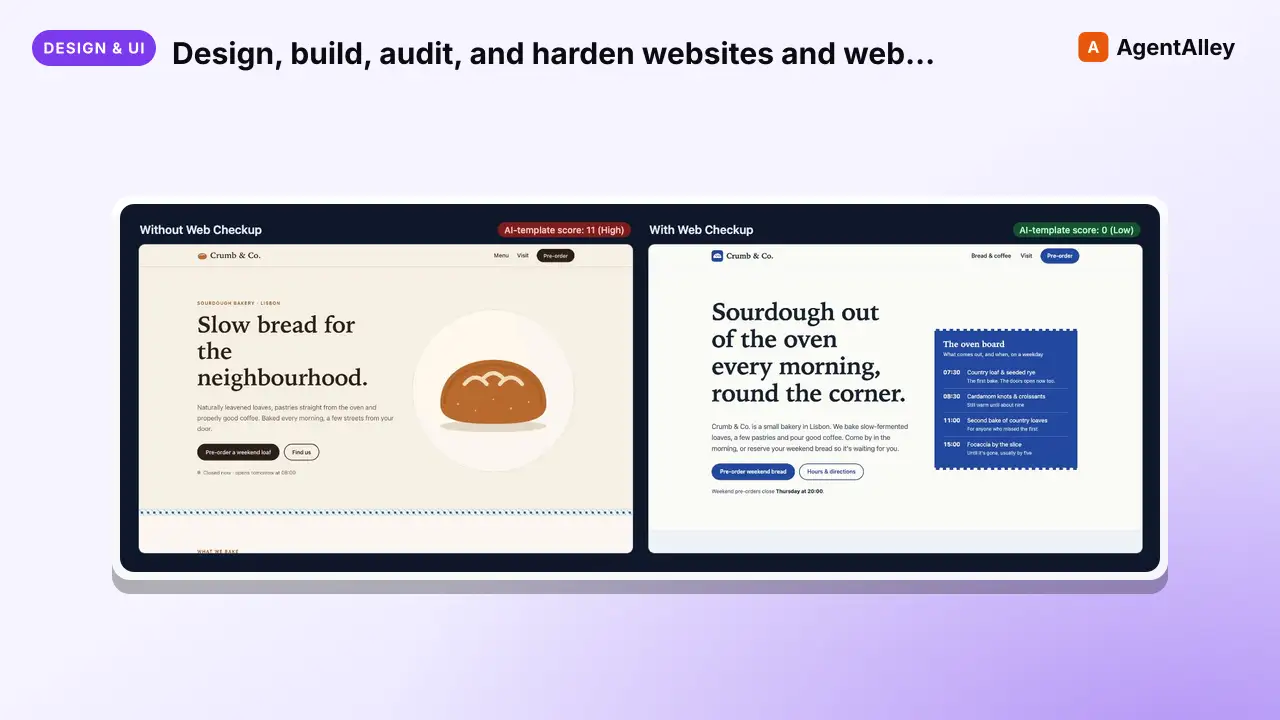 SkillDesign, build, audit, and harden websites and web apps soWeb checkup
 joshguntarverdiyev/web-checkup · by joshguntarverdiyevDesign, build, audit, and harden websites and web apps so they ship distinctive, secure, fast, accessible, and discoverable instead of looking AI-template generated. Use when creating or redesigning a landing page, SaaS UI, dashboard, portfolio, docs or ecommerce site; when a UI looks generic or "AI-made"; for UX/UI review, mobile and tablet responsiveness, accessibility, security audits (secrets, auth, database rules, headers), performance and Core Web Vitals, SEO, metadata, Open Graph, structured data, AI-search visibility, logo/favicon/icon/asset work, code quality, privacy compliance, or a pre-launch check. Also use when the user asks "is this ready to ship?", "is this safe?", "why does this look generic?", or "audit my site". Not for backend-only work with no web surface, and not for live penetration testing of systems the user does not own.★ 1 GitHub stars
More from wshobson
 SkillMaster C/.NET backend development patterns for buildingwshobson/agents · by wshobsonMaster C#/.NET backend development patterns for building robust APIs, MCP servers, and enterprise applications. Covers async/await, dependency injection, Entity Framework Core, Dapper, configuration, caching, and testing with xUnit. Use when developing .NET backends, reviewing C# code, or designing API architectures.★ 39.9k GitHub starsSkillImplement WCAG 2.2 compliant interfaces with mobileAccessibility compliancewshobson/agents · by wshobsonImplement WCAG 2.2 compliant interfaces with mobile accessibility, inclusive design patterns, and assistive technology support. Use when auditing accessibility, implementing ARIA patterns, building for screen readers, or ensuring inclusive user experiences.★ 39.9k GitHub stars
 SkillMaster Material Design 3 and Jetpack Compose patternsAndroid Mobile Designwshobson/agents · by wshobsonMaster Material Design 3 and Jetpack Compose patterns for building native Android apps. Use when designing Android interfaces, implementing Compose UI, or following Google's Material Design guidelines.★ 39.9k GitHub stars
 SkillMigrate from AngularJS to Angular using hybrid modeAngular migrationwshobson/agents · by wshobsonMigrate from AngularJS to Angular using hybrid mode, incremental component rewriting, and dependency injection updates. Use when upgrading AngularJS applications, planning framework migrations, or modernizing legacy Angular code.★ 39.9k GitHub stars
 SkillUnderstand anti-reversing, obfuscationAnti reversing techniqueswshobson/agents · by wshobsonUnderstand anti-reversing, obfuscation, and protection techniques encountered during software analysis. Use this skill when analyzing malware evasion techniques, when implementing anti-debugging protections for CTF challenges, when reverse engineering packed binaries, or when building security research tools that need to detect virtualized environments.★ 39.9k GitHub stars
 SkillBuild production Apache Airflow DAGs with best practicesApache Airflow DAG Patternswshobson/agents · by wshobsonBuild production Apache Airflow DAGs with best practices for operators, sensors, testing, and deployment. Use when creating data pipelines, orchestrating workflows, or scheduling batch jobs.★ 39.9k GitHub stars