


| 1 | Create an extreme close-up portrait of the character in the attached character reference sheet. Treat that sheet as the absolute authority for the character's identity and design: preserve their face, facial proportions, skin tone, hair style/color, eyes, ears or other character features, and any visible clothing/accessories. Do not redesign the character. |
| 2 | The second attached portrait is ONLY a rendering-quality reference. Do not copy that character's identity, face, hair, colors, clothing, accessories, expression, pose, or composition. Use it only as the target for detail density and finish: highly defined facial features, dimensional anime shading, intricate eyes and eyelashes, individually rendered hair strands, subtle skin highlights and warmth, sophisticated lighting, depth, material definition, and extremely polished cinematic anime rendering. |
| 3 | Frame the subject very tightly from approximately the upper chest/clavicle to the tips of their hair/ears, with the face dominating the image. Use an eye-level camera and direct eye contact. Give them a small natural smile with subtle blush. Preserve recognizable anime facial proportions while adding significantly more dimensional definition and fine detail; do not make the face photorealistic. |
| 4 | Use a simple dark atmospheric background and cinematic lighting that complements the character's existing palette. Keep the eyes, face, and nearest hair strands exceptionally sharp, with gentle depth falloff elsewhere. |
| 5 | Do not show the waist, hips, legs, or full body. Do not create a detailed environment. Do not copy the second portrait's scene or character. |
| 6 | Character sheet = WHO the character is. Second portrait = ONLY the LEVEL OF RENDERING QUALITY. |
| 7 | Generate the portrait now. |
Discussion
Alternatives
Abandoned wife"subject": "Full-body 3/4 view portrait capturing a moment of profound emotional transition",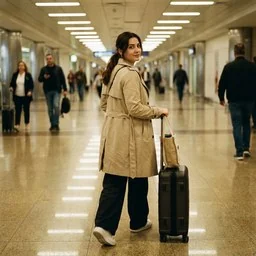 Airport Corridor Walk (full-body)This prompt generates a detailed description for a full-body candid airport corridor photograph of a Turkish-looking adult woman. It includes specifics about the subject's attire, pose, setting, and camera details, ensuring a photorealistic and stylish travel image without any recognizable logos or text.Alp DağlarındasınThis prompt generates a photorealistic iPhone selfie-style image set in the alpine mountains. It captures a bright, clear daylight scene with dramatic mountain peaks and a lush green meadow. The subject is a woman in casual hiking attire, lying in the grass and using a backpack as a pillow, with a classic handheld selfie perspective. Ideal for creating detailed, realistic outdoor scenes.
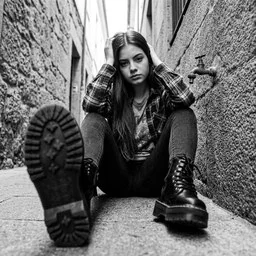 Alternative grunge alley portraitGenerates a photorealistic, vertical 8K black-and-white portrait of a young woman in a narrow urban alleyway. Wearing a plaid flannel, graphic tee, and chunky combat boots, she leans against a stone wall with one leg extended in extreme forced perspective. Shot from a low angle with a 24mm wide-angle lens, it captures a serious, melancholic expression with soft diffused daylight, subtle film grain, and an introspective alternative street editorial aesthetic.
Airport Corridor Walk (full-body)This prompt generates a detailed description for a full-body candid airport corridor photograph of a Turkish-looking adult woman. It includes specifics about the subject's attire, pose, setting, and camera details, ensuring a photorealistic and stylish travel image without any recognizable logos or text.Alp DağlarındasınThis prompt generates a photorealistic iPhone selfie-style image set in the alpine mountains. It captures a bright, clear daylight scene with dramatic mountain peaks and a lush green meadow. The subject is a woman in casual hiking attire, lying in the grass and using a backpack as a pillow, with a classic handheld selfie perspective. Ideal for creating detailed, realistic outdoor scenes.Alternative grunge alley portraitGenerates a photorealistic, vertical 8K black-and-white portrait of a young woman in a narrow urban alleyway. Wearing a plaid flannel, graphic tee, and chunky combat boots, she leans against a stone wall with one leg extended in extreme forced perspective. Shot from a low angle with a 24mm wide-angle lens, it captures a serious, melancholic expression with soft diffused daylight, subtle film grain, and an introspective alternative street editorial aesthetic.Browse more free AI prompts or everything in Content creator.