Write new blog articles from scratch optimized for Google
Blog Writer: New Article Generation
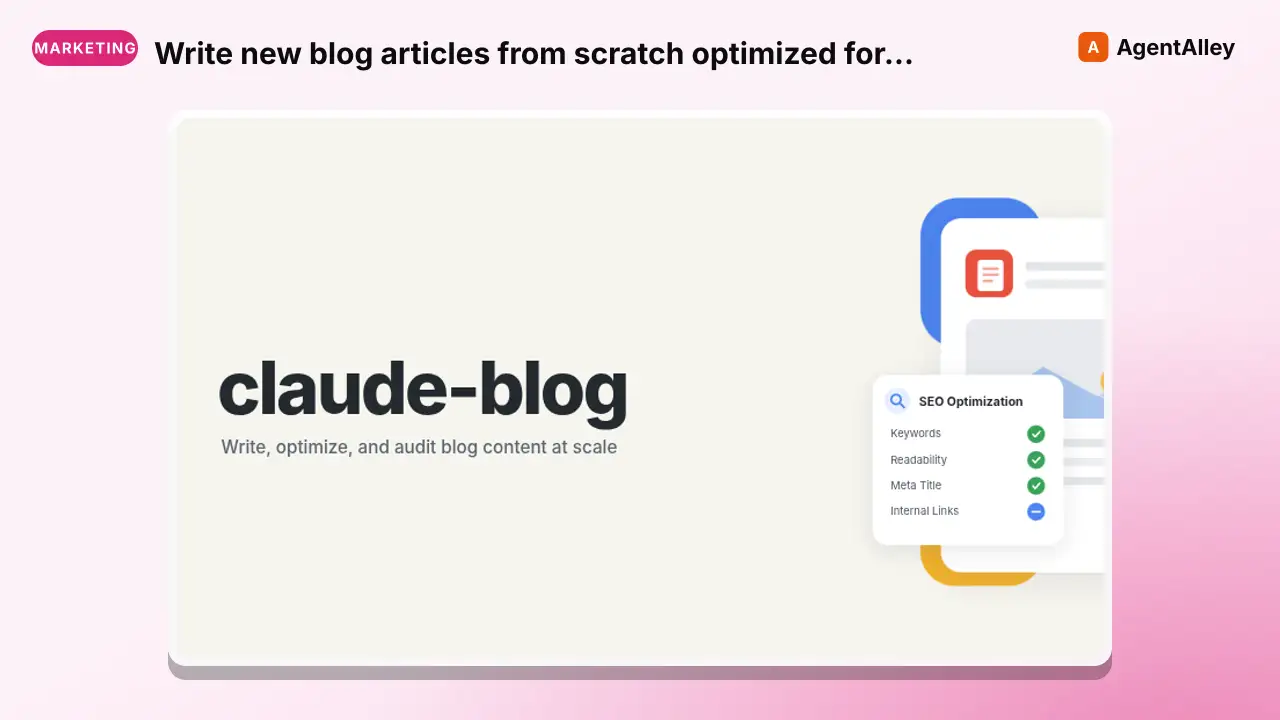
Write new blog articles from scratch optimized for Google rankings and AI citations. Generates full articles with template selection, answer-first formatting, Key Takeaways summary box, information gain markers, evidence-backed…
---
name: blog-write
description: >
  Write new blog articles from scratch optimized for Google rankings and AI
  citations. Generates full articles with template selection, answer-first
  formatting, Key Takeaways summary box, information gain markers, evidence-backed explanations, sourced
  statistics, Pixabay/Unsplash images, built-in SVG chart generation, optional FAQ sections,
  internal linking zones, and proper heading hierarchy. Supports MDX, markdown,
  and HTML output.
  Use when user says "write blog", "new blog post", "create article",
  "write about", "draft blog", "generate blog post".
user-invokable: true
argument-hint: "<topic>"
license: MIT
---

# Blog Writer: New Article Generation
Overview
Writes complete blog articles from a topic, brief, or outline. Every article follows the 6 pillars of dual optimization (Google rankings + AI citations).
Manual install (npx, ZIP)
npx skills add AgriciDaniel/claude-blog --skill blog-write -g -a claude-codemkdir -p ~/.claude/skills && curl -sL https://codeload.github.com/AgriciDaniel/claude-blog/tar.gz/2500d4c76503 \
| tar -xz -C ~/.claude/skills --strip-components=2 claude-blog-2500d4c76503/skills/blog-writeNew-Item -ItemType Directory -Force "$HOME\.claude\skills" | Out-Null; Invoke-WebRequest "https://m.agentalley.io/zip/8497b7a155635165bf10/blog-write.zip" -OutFile "$env:TEMP\blog-write.zip"; Expand-Archive "$env:TEMP\blog-write.zip" -DestinationPath "$HOME\.claude\skills" -ForceConnects with Agent Alley MCP · agentalley.io/mcp
Files included
SKILL.md21.8 KBreferences/1 file · 2.8 KB
Read the files here
AgriciDaniel/
Shared references13SKILL.md reads these from elsewhere in the repo. Not in the ZIP.
- blog-writer.mdagents/8.6 KB
- blog_preflight.pyscripts/60.3 KB
- blog-delivery-contract.mdskills/blog/references/15.2 KB
- content-rules.mdskills/blog/references/14.5 KB
- content-templates.mdskills/blog/references/22.9 KB
- cta-placement.mdskills/blog/references/2.3 KB
- eeat-signals.mdskills/blog/references/14.0 KB
- flow-alignment.mdskills/blog/references/6.2 KB
- internal-linking.mdskills/blog/references/13.8 KB
- quality-scoring.mdskills/blog/references/8.3 KB
- synthesis-contract.mdskills/blog/references/7.4 KB
- video-embeds.mdskills/blog/references/7.5 KB
- visual-media.mdskills/blog/references/14.2 KB
Show the full text498 lines
Blog Writer: New Article Generation
Writes complete blog articles from a topic, brief, or outline. Every article follows the 6 pillars of dual optimization (Google rankings + AI citations).
Key references (paths relative to repo root; references live in the
main blog skill's references directory, not in blog-write/):
skills/blog/references/synthesis-contract.md: 6 LAWs for synthesis output (v1.8.0; applies whenever the article embeds research-synthesis prose)skills/blog/references/content-templates.md: Template selection guide and usageskills/blog/references/quality-scoring.md: 5-category scoring (Content 30, SEO 25, E-E-A-T 15, Technical 15, AI Citation 15)skills/blog/references/eeat-signals.md: Experience, expertise, authority, trust markersskills/blog/references/internal-linking.md: Linking strategy and anchor text rulesskills/blog/references/visual-media.md: Image sourcing and chart stylingskills/blog-write/references/delivery.md: delivery contract steps and summary template for this sub-skill
Workflow
Phase 0: Surface Targeting (do this BEFORE research)
Decide which of the FLOW 5 surfaces this post is meant to win. The choice shapes structure, length, citation density, and call-to-action. The 5 surfaces in 2026:
- Owned site (organic Google ranking)
- SERP including AI Overviews
- AI assistant citations (ChatGPT, Perplexity, Claude, Gemini, Copilot, You.com)
- Local pack (out of scope for blog content; use claude-seo for local)
- Communities and video (Reddit, YouTube, LinkedIn, Quora, niche forums)
Most posts target surfaces 1, 2, and 3 by default. If the same query also
surfaces in a community (Reddit thread, YouTube comment), apply dual-surface
thinking: optimize the post for extraction AND plan a community echo (covered
in /blog repurpose).
For a deeper surface-by-surface workflow, see
skills/blog/references/flow-alignment.md and /blog flow find.
Phase 1: Topic Understanding
- Clarify the topic - If the user provides just a topic, ask:
- Target audience (who is this for?)
- Primary keyword / search intent
- Desired word count (default: 2,000-2,500 words)
- Platform/format (MDX, markdown, HTML - auto-detect if in a project)
- If a brief exists - Load it and skip to Phase 1.5
Phase 1.5: Template Selection
Select the appropriate content template from the 12 templates in
skills/blog/templates/ (the main blog skill owns the templates directory).
Auto-detect content type from the topic and search intent:
Signal Template "How to...", process, steps how-to-guide"Best X", "Top N", list format listicleClient result, before/after, metrics case-study"X vs Y", comparison, alternatives comparisonBroad topic, comprehensive guide pillar-page"Is X worth it", product evaluation product-reviewOpinion, prediction, industry take thought-leadershipExpert quotes, multi-source collection roundupCode walkthrough, tool demo, technical tutorialBreaking news, algorithm update, event news-analysisSurvey results, experiment, original data data-researchQ&A, knowledge base, "What is X" faq-knowledgeLoad the matching template: Read from
skills/blog/templates/<type>.mdAdapt the outline - Use the template's section structure, heading patterns, and word count guidance to shape Phase 3's outline
Fallback - If no template clearly fits, use the generic outline structure in Phase 3 below. Inform the user which template was selected (or that none matched).
See skills/blog/references/content-templates.md for detailed selection criteria and intent mapping.
Phase 2: Research
Spawn a blog-researcher agent (or do inline research with WebSearch):
- Find 8-12 current statistics (2025-2026 data preferred)
- Search:
[topic] study 2025 2026 data statistics - Prioritize tier 1-3 sources (see
skills/blog/references/quality-scoring.md) - Record: statistic, source name, URL, date, methodology
- Search:
- Find a cover image (wide, high-quality, topic-relevant):
- Prefer original screenshots, product visuals, diagrams, or data graphics when available
- For stock, use official APIs such as Openverse, Unsplash, Pexels, or Pixabay so license, creator, source URL, and download URL are captured
- Download approved assets into the draft folder, store attribution, and never hotlink arbitrary CDN URLs
- Reject
javascript:,data:, andfile:image URLs - Target dimensions: 1200x630 (OG-compatible) or 1920x1080
- Or generate a custom SVG cover via
blog-chart(text-on-gradient with key stat) - Or generate a custom AI image via
blog-image; prefergemini-3.1-flash-image, thengemini-3.1-flash-lite-imageorgemini-3-pro-imagewhen available, and record the model ID - See
skills/blog/references/visual-media.mdfor cover image sizing details
- Find 3-5 inline images from open-source platforms:
- Use official APIs or Openverse search; keep license, creator, source URL, and retrieval date with each asset
- Download images locally and reference local paths in the draft
- Validate final URLs with the delivery contract SSRF rules before download
- Plan 2-4 data visualizations from researched statistics
- Select diverse chart types (see
skills/blog/references/visual-media.md) - Map data points to chart formats
- Select diverse chart types (see
- AI image generation (optional, if
blog-imageis available):- If stock photo results are insufficient (< 3 good matches) or topic is too niche
- Generate custom hero image and/or inline illustrations via
blog-imagesub-skill - Record prompt, provider, and model ID; stock photos remain available, but original and data visuals are preferred when they better serve the topic
- NotebookLM research (optional, if user has relevant notebooks):
- If the user mentions a NotebookLM notebook or the topic aligns with a configured notebook
- Query via
blog-notebooklmfor source-grounded data from user-uploaded documents - Inherit the source tier from the underlying document provenance; user's own primary documents can be Tier 1, while copied secondary sources keep their original tier
- Falls back silently if not configured or not authenticated
- Find relevant YouTube videos (2-3 per post):
- Use
blog-googleyoutube command or WebSearchsite:youtube.com [topic] [year] - Apply quality criteria from
skills/blog/references/video-embeds.md(min score 50/100) - Select 2-3 best videos. Falls back silently if none found.
- Use
Phase 3: Outline Generation
Create a structured outline before writing. If a template was loaded in Phase 1.5, adapt this skeleton to match the template's section structure:
# [Title as Question - Include Primary Keyword]

## Introduction (100-150 words)
- Open with the reader's problem, a useful finding, a concrete example, or an
  optional verified statistic when evidence makes that the strongest hook
- Problem/opportunity statement
- What the reader will learn

> **Key Takeaways**
> - [Core finding with statistic and source]
> - [Second key insight or recommendation]
> - [Third actionable takeaway]
> (3-5 concise bullets when a summary helps this content type)

## H2: [Intent-Matched Heading]
- Clear section point with verified support where needed
- Supporting evidence
- [Image placement]
- Practical advice
- [EVIDENCE-BACKED EXPLANATION placeholder]
- [INTERNAL-LINK: anchor text → target description]

## H2: [Intent-Matched Heading]
- Answer-first paragraph
- [Chart: type + data description]
- Analysis and implications
- [EVIDENCE-BACKED EXPLANATION placeholder]
- [INTERNAL-LINK: anchor text → target description]

## H2: [Intent-Matched Heading]
- Answer-first paragraph
- Real-world example or case study
- [Image placement]
- [EVIDENCE-BACKED EXPLANATION placeholder]

## H2: [Intent-Matched Heading]
- Answer-first paragraph
- [Chart: type + data description]
- Step-by-step guidance
- [EVIDENCE-BACKED EXPLANATION placeholder]
- [INTERNAL-LINK: anchor text → target description]

## H2: [Intent-Matched Heading]
- Answer-first paragraph
- Forward-looking analysis

## [CTA Section or Inline Placement]
- See `skills/blog/references/cta-placement.md` for placement rules by content type
- Place CTA after value delivery, not at arbitrary positions
- Single focused CTA per post (266% more conversions)
- [CTA: contextual call-to-action matching article topic]

## Optional FAQ Section (only when real reader questions warrant it)
- [INTERNAL-LINK: anchor text → detailed content]

## Conclusion (100-150 words)
- Key takeaways (bulleted)
- Call to action
- [INTERNAL-LINK: anchor text → next logical content]
Present the outline to the user for approval before writing.
Visual element pacing: Insert [IMAGE], [CHART], [VIDEO], or [CALLOUT] markers
every 300-500 words. Alternate types (no consecutive same-type). See
skills/blog/references/content-rules.md Visual Rhythm section and
skills/blog/references/cta-placement.md for CTA positioning.
Phase 4: Chart Generation (Built-In)
When the researcher identifies chart-worthy data (3+ comparable metrics, trend data, before/after comparisons):
- Select chart type using the diversity rule (no repeated types per post)
- Invoke
blog-chartsub-skill with: chart type, title, data values, source, platform format - Embed the returned SVG directly in the post within a
<figure>wrapper - Target 2-4 charts per 2,000-word post
- Distribute charts evenly - never cluster them
See skills/blog/references/visual-media.md for chart type selection and styling rules.
Phase 5: Content Writing
Write the full article following these rules:
5a. Frontmatter
---
title: "[Clear title that identifies the page and matches search intent]"
description: "[Accurate, page-specific summary of the visible content]"
coverImage: "[URL from Pixabay/Unsplash/Pexels or generated SVG path]"
coverImageAlt: "[Descriptive sentence about the cover image]"
ogImage: "[Same as coverImage, or custom OG image URL]"
date: "YYYY-MM-DD"
lastUpdated: "YYYY-MM-DD"
author: "[Author name]"
tags: ["keyword1", "keyword2", "keyword3"]
---
If the platform uses a different field name (e.g., image, hero, thumbnail),
adapt to match the project's existing frontmatter convention.
5b. Summary Box (Key Takeaways)
Immediately after the introduction (before the first H2 body section), add a summary box:
> **Key Takeaways**
> - [Core finding with verified support when needed]
> - [Second key insight or recommendation]
> - [Third actionable takeaway]
Requirements:
- 3-5 concise bullet points sized to the material
- Must be self-contained - understandable without reading the article
- Use statistics only when material to the summary and verified
- State the key finding, recommendation, or answer
- Default label: "Key Takeaways". If a persona is active, use the persona's summary_label
- Backward compatible: accept existing TL;DR boxes during rewrites
5c. Purpose-First Formatting (Critical)
State the point of important sections early, then supply the context and verified evidence the claim needs. Do not force statistics or fixed lengths.
Pattern:
## How Does X Impact Y in 2026?

[Stat from source] ([Source Name](url), year). [Direct answer to the heading
question in 1-2 more sentences, explaining the implication and what this means
for the reader.]
Source record for material public statistics:
Record enough provenance for a reader or editor to verify the claim. Use the publication's citation style rather than forcing one sentence pattern.
Relevant date or study period. Include it where recency or the measured period changes the claim's meaning.
Identifiable source. Name the publisher and document title when needed to distinguish the source and place the citation close to the claim.
Retrievable support. Keep a stable URL. Add a retrieval date for changeable or undated sources, and record methodology or limitations when they affect interpretation.
FLOW quality bar (drop or replace): Public claims must use verified sources OR stay qualitative. If a statistic cannot be verified, drop it. If it is contradicted by a more recent source, replace it with the verified alternative. Do not soften vague language to keep an unsourceable number.
For evidence-led optimization prompts (CTR audit, quality follow-up, schema,
PAA rewording, ChatGPT visibility), see /blog flow optimize.
5d. Information Gain Markers
Use information-gain markers as optional drafting annotations when the article contains genuinely original data, transparent first-hand evidence, or distinctive sourced synthesis. The evidence itself helps readers; the marker is not a search-engine signal and earns no points by its presence.
Tag each with a comment or visible marker:
[ORIGINAL DATA]- Proprietary surveys, experiments, A/B test results, case study metrics the author collected first-hand[PERSONAL EXPERIENCE]- First-hand observations, lessons learned from direct involvement, "when we tried X, Y happened" narratives[UNIQUE INSIGHT]- Analysis others haven't made, contrarian perspectives backed by data, novel connections between existing research
Placement:
- Weave into the body text naturally
- Use as inline comments:
<!-- [ORIGINAL DATA] -->before the relevant paragraph - Or as visible callouts if the format supports it:
> **Our finding:** [original observation backed by specific data] - Use only as many as the supported original material warrants.
5e. Evidence-Backed Explanations
For important reusable claims, create a self-contained, evidence-backed explanation sized to the material.
Guidance:
- Self-contained and understandable in isolation
- Contains a specific claim plus verified support when the claim needs it
- Written in a declarative, quotable style
- Placed within the H2 section body (not as a separate block)
Example:
[Verified source title], a [method or sample description] published on [date],
found [specific metric] for [audience or market] ([Source name](https://example.com/full-report),
retrieved YYYY-MM-DD). In practical terms, connect the evidence to one action
the reader should take before making a claim or changing a workflow.
Do not pad explanations to a fixed length or add them solely to earn readiness points.
5f. Internal Linking Zones
Mark internal linking opportunities throughout the article using placeholder notation. The user (or a follow-up pass) will resolve these to actual URLs.
Zone placement:
- Introduction - Link to related pillar content or topic hub
- Each H2 section - Link to supporting articles, deeper dives, related tools
- FAQ section - Link answers to detailed content that expands on the answer
- Conclusion - Link to the next logical piece of content the reader should consume
Format:
[INTERNAL-LINK: anchor text → target description]
Example:
For a deeper dive into keyword clustering, see our
[INTERNAL-LINK: complete guide to keyword clustering → pillar page on keyword research methodology].
Target 5-10 internal link zones per 2,000-word post. Use descriptive anchor text
(never "click here" or "read more"). See skills/blog/references/internal-linking.md for
anchor text rules and linking strategy.
5g. Paragraph Rules
- Use paragraph and sentence lengths that fit the audience and material
- Split passages when doing so improves comprehension, not to satisfy a quota
- Start each paragraph with the most important information
- Target Flesch Reading Ease: 60-70
5h. Heading Rules
- One H1 (title only)
- H2s for main sections; use question or declarative forms according to intent
- H3s for subsections only - never skip levels
- Keep heading terminology naturally consistent with the page topic; do not enforce an exact-match keyword quota
5i. Image Embedding
Standard markdown:

MDX with Next.js Image (if detected):

- Place images after H2 headings, before body text
- Space evenly throughout the post (not clustered)
- Alt text should be a full descriptive sentence
5j. Chart Embedding
Standard markdown/HTML:
<figure>
  <svg viewBox="0 0 560 380" ...>...</svg>
  <figcaption>Source: [Source Name], [Year]</figcaption>
</figure>
MDX format:
<figure className="chart-container" style={{margin: '2.5rem 0', textAlign: 'center', padding: '1.5rem', borderRadius: '12px'}}>
  <svg viewBox="0 0 560 380" ...>...</svg>
</figure>
5k. Video Embedding
Embed YouTube videos using srcdoc lazy-loading pattern from skills/blog/references/video-embeds.md.
Include aria-label, noscript fallback for AI crawlers. Place after relevant H2, 500+ words apart.
5l. Citation Format
Inline attribution (always):
In February 2026, Seer Interactive's AI Overview CTR tracker reported a 2.4% organic CTR on AI Overview SERPs ([Seer Interactive](https://www.seerinteractive.com/), retrieved YYYY-MM-DD).
5m. FAQ Section
Add FAQ items only when user questions warrant them. Answers should be complete and concise; include verified statistics only when relevant.
FAQPage is optional entity markup only. Google FAQ rich results were fully retired for all sites on 2026-05-07, so do not make FAQ schema a core Google rich-result output or citation lever. Prioritize Article/BlogPosting + Person + Organization + BreadcrumbList; emit FAQPage only when the platform already supports it and the questions genuinely help users.
For MDX with an optional FAQSchema component:
<FAQSchema faqs={[
  { question: "Question?", answer: "Complete answer with support where needed." },
]} />
For standard markdown:
## Frequently Asked Questions

### Question text here?

Answer completely, with source attribution where the claim needs it.
5n. Internal Linking
- 5-10 internal links per 2,000-word post
- Link to relevant existing content naturally
- Use descriptive anchor text (not "click here")
Phase 6: Quality Check
Before delivering, verify:
Structure and Content
- Important claims state their point clearly and include verified support where needed
- Paragraph and sentence pacing suits the audience; length alone cannot block delivery
- All statistics have named tier 1-3 sources
- 2-4 charts with type diversity
- 3-5 inline images with descriptive alt text
- Cover image present in frontmatter (coverImage + ogImage)
- FAQ section present with 3-5 items when warranted by user questions
- Heading hierarchy is clean (H1 -> H2 -> H3)
- Meta description accurately and specifically summarizes the visible content
New Element Verification
- Optional summary helps the reader and contains no unsupported claims
- Any information-gain markers point to supported original material
- Important reusable claims are self-contained and evidence-backed
- Internal linking zones marked in introduction, H2 sections, FAQ, and conclusion
- Project voice preferences reviewed where they improve clarity and fit
Optional Editorial Voice Review
- Sentence rhythm - Vary sentence structure only where it improves clarity, emphasis, or flow. Do not infer authorship from sentence patterns or enforce fixed sentence-length bands.
- Configured phrase review - Review these project style-list terms in
context and replace them only when a clearer alternative fits:
- "in today's digital landscape", "it's important to note", "dive into"
- "game-changer", "navigate the landscape", "revolutionize", "seamlessly"
- "cutting-edge", "harness the power of", "leverage" (as verb)
- "delve", "crucial", "elevate", "foster", "landscape" (overused)
- "multifaceted", "robust", "tapestry", "embark"
- Full list in
agents/blog-writer.md
- Contractions - Use contractions when they fit the selected voice. Their presence or absence says nothing about authorship or Google performance.
- Rhetorical questions - Use them only when they help the reader reason through a decision. There is no quota.
- YouTube videos - 2-3 embeds with lazy loading, aria-labels, and noscript fallback (see
skills/blog/references/video-embeds.md)
Phase 6.5: Delivery Contract Enforcement (v1.9.0)
Before Phase 7, run the 5-gate delivery contract (via python3 scripts/blog_preflight.py plus a BLOCKING blog-reviewer agent) per skills/blog/references/blog-delivery-contract.md and the writer-specific checklist in skills/blog-write/references/delivery.md. Use python3 for local scripts. The user is never the first reviewer; the gates are.
On any block, capture <folder>/preflight-report.json, re-dispatch the blog-writer agent with the diagnostic as input, and re-run the gated steps. Maximum 3 iterations. On the 3rd failure, stop and present the failure diagnostic instead of the draft.
Phase 7: Delivery
Present the completed article only after Phase 6.5 returns all gates passing. Include <folder>/preview/*.png screenshots and the compact completion summary described in skills/blog-write/references/delivery.md.
| 1 | |
| 2 | name blog-write |
| 3 | description > |
| 4 | Write new blog articles from scratch optimized for Google rankings and AI |
| 5 | citations. Generates full articles with template selection, answer-first |
| 6 | formatting, Key Takeaways summary box, information gain markers, evidence-backed explanations, sourced |
| 7 | statistics, Pixabay/Unsplash images, built-in SVG chart generation, optional FAQ sections, |
| 8 | internal linking zones, and proper heading hierarchy. Supports MDX, markdown, |
| 9 | and HTML output. |
| 10 | Use when user says "write blog", "new blog post", "create article", |
| 11 | "write about", "draft blog", "generate blog post". |
| 12 | user-invokable true |
| 13 | argument-hint "<topic>" |
| 14 | license MIT |
| 15 | |
| 16 | |
| 17 | # Blog Writer: New Article Generation |
| 18 | |
| 19 | Writes complete blog articles from a topic, brief, or outline. Every article |
| 20 | follows the 6 pillars of dual optimization (Google rankings + AI citations). |
| 21 | |
| 22 | **Key references** (paths relative to repo root; references live in the |
| 23 | main `blog` skill's references directory, not in `blog-write/`): |
| 24 | |
| 25 | `skills/blog/references/synthesis-contract.md`: 6 LAWs for synthesis output (v1.8.0; applies whenever the article embeds research-synthesis prose) |
| 26 | `skills/blog/references/content-templates.md`: Template selection guide and usage |
| 27 | `skills/blog/references/quality-scoring.md`: 5-category scoring (Content 30, SEO 25, E-E-A-T 15, Technical 15, AI Citation 15) |
| 28 | `skills/blog/references/eeat-signals.md`: Experience, expertise, authority, trust markers |
| 29 | `skills/blog/references/internal-linking.md`: Linking strategy and anchor text rules |
| 30 | `skills/blog/references/visual-media.md`: Image sourcing and chart styling |
| 31 | `skills/blog-write/references/delivery.md`: delivery contract steps and summary template for this sub-skill |
| 32 | |
| 33 | ## Workflow |
| 34 | |
| 35 | ### Phase 0: Surface Targeting (do this BEFORE research) |
| 36 | |
| 37 | Decide which of the FLOW 5 surfaces this post is meant to win. The choice |
| 38 | shapes structure, length, citation density, and call-to-action. The 5 surfaces |
| 39 | in 2026: |
| 40 | |
| 41 | Owned site (organic Google ranking) |
| 42 | SERP including AI Overviews |
| 43 | AI assistant citations (ChatGPT, Perplexity, Claude, Gemini, Copilot, You.com) |
| 44 | Local pack (out of scope for blog content; use claude-seo for local) |
| 45 | Communities and video (Reddit, YouTube, LinkedIn, Quora, niche forums) |
| 46 | |
| 47 | Most posts target surfaces 1, 2, and 3 by default. If the same query also |
| 48 | surfaces in a community (Reddit thread, YouTube comment), apply dual-surface |
| 49 | thinking: optimize the post for extraction AND plan a community echo (covered |
| 50 | in `/blog repurpose`). |
| 51 | |
| 52 | For a deeper surface-by-surface workflow, see |
| 53 | `skills/blog/references/flow-alignment.md` and `/blog flow find`. |
| 54 | |
| 55 | ### Phase 1: Topic Understanding |
| 56 | |
| 57 | **Clarify the topic** - If the user provides just a topic, ask: |
| 58 | Target audience (who is this for?) |
| 59 | Primary keyword / search intent |
| 60 | Desired word count (default: 2,000-2,500 words) |
| 61 | Platform/format (MDX, markdown, HTML - auto-detect if in a project) |
| 62 | **If a brief exists** - Load it and skip to Phase 1.5 |
| 63 | |
| 64 | ### Phase 1.5: Template Selection |
| 65 | |
| 66 | Select the appropriate content template from the 12 templates in |
| 67 | `skills/blog/templates/` (the main `blog` skill owns the templates directory). |
| 68 | |
| 69 | **Auto-detect content type** from the topic and search intent: |
| 70 | | Signal | Template | |
| 71 | |--------|----------| |
| 72 | | "How to...", process, steps | `how-to-guide` | |
| 73 | | "Best X", "Top N", list format | `listicle` | |
| 74 | | Client result, before/after, metrics | `case-study` | |
| 75 | | "X vs Y", comparison, alternatives | `comparison` | |
| 76 | | Broad topic, comprehensive guide | `pillar-page` | |
| 77 | | "Is X worth it", product evaluation | `product-review` | |
| 78 | | Opinion, prediction, industry take | `thought-leadership` | |
| 79 | | Expert quotes, multi-source collection | `roundup` | |
| 80 | | Code walkthrough, tool demo, technical | `tutorial` | |
| 81 | | Breaking news, algorithm update, event | `news-analysis` | |
| 82 | | Survey results, experiment, original data | `data-research` | |
| 83 | | Q&A, knowledge base, "What is X" | `faq-knowledge` | |
| 84 | |
| 85 | **Load the matching template**: Read from `skills/blog/templates/<type>.md` |
| 86 | **Adapt the outline** - Use the template's section structure, heading patterns, |
| 87 | and word count guidance to shape Phase 3's outline |
| 88 | **Fallback** - If no template clearly fits, use the generic outline structure |
| 89 | in Phase 3 below. Inform the user which template was selected (or that none matched). |
| 90 | |
| 91 | See `skills/blog/references/content-templates.md` for detailed selection criteria and intent mapping. |
| 92 | |
| 93 | ### Phase 2: Research |
| 94 | |
| 95 | Spawn a `blog-researcher` agent (or do inline research with WebSearch): |
| 96 | |
| 97 | **Find 8-12 current statistics** (2025-2026 data preferred) |
| 98 | Search: `[topic] study 2025 2026 data statistics` |
| 99 | Prioritize tier 1-3 sources (see `skills/blog/references/quality-scoring.md`) |
| 100 | Record: statistic, source name, URL, date, methodology |
| 101 | **Find a cover image** (wide, high-quality, topic-relevant): |
| 102 | Prefer original screenshots, product visuals, diagrams, or data graphics when available |
| 103 | For stock, use official APIs such as Openverse, Unsplash, Pexels, or Pixabay so license, creator, source URL, and download URL are captured |
| 104 | Download approved assets into the draft folder, store attribution, and never hotlink arbitrary CDN URLs |
| 105 | Reject `javascript:`, `data:`, and `file:` image URLs |
| 106 | Target dimensions: 1200x630 (OG-compatible) or 1920x1080 |
| 107 | Or generate a custom SVG cover via `blog-chart` (text-on-gradient with key stat) |
| 108 | Or generate a custom AI image via `blog-image`; prefer `gemini-3.1-flash-image`, then `gemini-3.1-flash-lite-image` or `gemini-3-pro-image` when available, and record the model ID |
| 109 | See `skills/blog/references/visual-media.md` for cover image sizing details |
| 110 | **Find 3-5 inline images** from open-source platforms: |
| 111 | Use official APIs or Openverse search; keep license, creator, source URL, and retrieval date with each asset |
| 112 | Download images locally and reference local paths in the draft |
| 113 | Validate final URLs with the delivery contract SSRF rules before download |
| 114 | **Plan 2-4 data visualizations** from researched statistics |
| 115 | Select diverse chart types (see `skills/blog/references/visual-media.md`) |
| 116 | Map data points to chart formats |
| 117 | **AI image generation** (optional, if `blog-image` is available): |
| 118 | If stock photo results are insufficient (< 3 good matches) or topic is too niche |
| 119 | Generate custom hero image and/or inline illustrations via `blog-image` sub-skill |
| 120 | Record prompt, provider, and model ID; stock photos remain available, but original and data visuals are preferred when they better serve the topic |
| 121 | **NotebookLM research** (optional, if user has relevant notebooks): |
| 122 | If the user mentions a NotebookLM notebook or the topic aligns with a configured notebook |
| 123 | Query via `blog-notebooklm` for source-grounded data from user-uploaded documents |
| 124 | Inherit the source tier from the underlying document provenance; user's own primary documents can be Tier 1, while copied secondary sources keep their original tier |
| 125 | Falls back silently if not configured or not authenticated |
| 126 | **Find relevant YouTube videos** (2-3 per post): |
| 127 | Use `blog-google` youtube command or WebSearch `site:youtube.com [topic] [year]` |
| 128 | Apply quality criteria from `skills/blog/references/video-embeds.md` (min score 50/100) |
| 129 | Select 2-3 best videos. Falls back silently if none found. |
| 130 | |
| 131 | ### Phase 3: Outline Generation |
| 132 | |
| 133 | Create a structured outline before writing. If a template was loaded in Phase 1.5, |
| 134 | adapt this skeleton to match the template's section structure: |
| 135 | |
| 136 | |
| 137 | # [Title as Question - Include Primary Keyword] |
| 138 | |
| 139 | ## Introduction (100-150 words) |
| 140 | - Open with the reader's problem, a useful finding, a concrete example, or an |
| 141 | optional verified statistic when evidence makes that the strongest hook |
| 142 | - Problem/opportunity statement |
| 143 | - What the reader will learn |
| 144 | |
| 145 | > **Key Takeaways** |
| 146 | > - [Core finding with statistic and source] |
| 147 | > - [Second key insight or recommendation] |
| 148 | > - [Third actionable takeaway] |
| 149 | > (3-5 concise bullets when a summary helps this content type) |
| 150 | |
| 151 | ## H2: [Intent-Matched Heading] |
| 152 | - Clear section point with verified support where needed |
| 153 | - Supporting evidence |
| 154 | - [Image placement] |
| 155 | - Practical advice |
| 156 | - [EVIDENCE-BACKED EXPLANATION placeholder] |
| 157 | - [INTERNAL-LINK: anchor text → target description] |
| 158 | |
| 159 | ## H2: [Intent-Matched Heading] |
| 160 | - Answer-first paragraph |
| 161 | - [Chart: type + data description] |
| 162 | - Analysis and implications |
| 163 | - [EVIDENCE-BACKED EXPLANATION placeholder] |
| 164 | - [INTERNAL-LINK: anchor text → target description] |
| 165 | |
| 166 | ## H2: [Intent-Matched Heading] |
| 167 | - Answer-first paragraph |
| 168 | - Real-world example or case study |
| 169 | - [Image placement] |
| 170 | - [EVIDENCE-BACKED EXPLANATION placeholder] |
| 171 | |
| 172 | ## H2: [Intent-Matched Heading] |
| 173 | - Answer-first paragraph |
| 174 | - [Chart: type + data description] |
| 175 | - Step-by-step guidance |
| 176 | - [EVIDENCE-BACKED EXPLANATION placeholder] |
| 177 | - [INTERNAL-LINK: anchor text → target description] |
| 178 | |
| 179 | ## H2: [Intent-Matched Heading] |
| 180 | - Answer-first paragraph |
| 181 | - Forward-looking analysis |
| 182 | |
| 183 | ## [CTA Section or Inline Placement] |
| 184 | - See `skills/blog/references/cta-placement.md` for placement rules by content type |
| 185 | - Place CTA after value delivery, not at arbitrary positions |
| 186 | - Single focused CTA per post (266% more conversions) |
| 187 | - [CTA: contextual call-to-action matching article topic] |
| 188 | |
| 189 | ## Optional FAQ Section (only when real reader questions warrant it) |
| 190 | - [INTERNAL-LINK: anchor text → detailed content] |
| 191 | |
| 192 | ## Conclusion (100-150 words) |
| 193 | - Key takeaways (bulleted) |
| 194 | - Call to action |
| 195 | - [INTERNAL-LINK: anchor text → next logical content] |
| 196 | |
| 197 | |
| 198 | Present the outline to the user for approval before writing. |
| 199 | |
| 200 | **Visual element pacing**: Insert `[IMAGE]`, `[CHART]`, `[VIDEO]`, or `[CALLOUT]` markers |
| 201 | every 300-500 words. Alternate types (no consecutive same-type). See |
| 202 | `skills/blog/references/content-rules.md` Visual Rhythm section and |
| 203 | `skills/blog/references/cta-placement.md` for CTA positioning. |
| 204 | |
| 205 | ### Phase 4: Chart Generation (Built-In) |
| 206 | |
| 207 | When the researcher identifies chart-worthy data (3+ comparable metrics, trend data, |
| 208 | before/after comparisons): |
| 209 | |
| 210 | Select chart type using the diversity rule (no repeated types per post) |
| 211 | Invoke `blog-chart` sub-skill with: chart type, title, data values, source, platform format |
| 212 | Embed the returned SVG directly in the post within a `<figure>` wrapper |
| 213 | Target 2-4 charts per 2,000-word post |
| 214 | Distribute charts evenly - never cluster them |
| 215 | |
| 216 | See `skills/blog/references/visual-media.md` for chart type selection and styling rules. |
| 217 | |
| 218 | ### Phase 5: Content Writing |
| 219 | |
| 220 | Write the full article following these rules: |
| 221 | |
| 222 | #### 5a. Frontmatter |
| 223 | |
| 224 | |
| 225 | title: "[Clear title that identifies the page and matches search intent]" |
| 226 | description: "[Accurate, page-specific summary of the visible content]" |
| 227 | coverImage: "[URL from Pixabay/Unsplash/Pexels or generated SVG path]" |
| 228 | coverImageAlt: "[Descriptive sentence about the cover image]" |
| 229 | ogImage: "[Same as coverImage, or custom OG image URL]" |
| 230 | date: "YYYY-MM-DD" |
| 231 | lastUpdated: "YYYY-MM-DD" |
| 232 | author: "[Author name]" |
| 233 | tags: ["keyword1", "keyword2", "keyword3"] |
| 234 | |
| 235 | |
| 236 | |
| 237 | If the platform uses a different field name (e.g., `image`, `hero`, `thumbnail`), |
| 238 | adapt to match the project's existing frontmatter convention. |
| 239 | |
| 240 | #### 5b. Summary Box (Key Takeaways) |
| 241 | |
| 242 | Immediately after the introduction (before the first H2 body section), add a summary box: |
| 243 | |
| 244 | |
| 245 | > **Key Takeaways** |
| 246 | > - [Core finding with verified support when needed] |
| 247 | > - [Second key insight or recommendation] |
| 248 | > - [Third actionable takeaway] |
| 249 | |
| 250 | |
| 251 | Requirements: |
| 252 | 3-5 concise bullet points sized to the material |
| 253 | Must be self-contained - understandable without reading the article |
| 254 | Use statistics only when material to the summary and verified |
| 255 | State the key finding, recommendation, or answer |
| 256 | Default label: "Key Takeaways". If a persona is active, use the persona's summary_label |
| 257 | Backward compatible: accept existing TL;DR boxes during rewrites |
| 258 | |
| 259 | #### 5c. Purpose-First Formatting (Critical) |
| 260 | State the point of important sections early, then supply the context and |
| 261 | verified evidence the claim needs. Do not force statistics or fixed lengths. |
| 262 | |
| 263 | Pattern: |
| 264 | |
| 265 | ## How Does X Impact Y in 2026? |
| 266 | |
| 267 | [Stat from source] ([Source Name](url), year). [Direct answer to the heading |
| 268 | question in 1-2 more sentences, explaining the implication and what this means |
| 269 | for the reader.] |
| 270 | |
| 271 | |
| 272 | **Source record for material public statistics:** |
| 273 | |
| 274 | Record enough provenance for a reader or editor to verify the claim. Use the |
| 275 | publication's citation style rather than forcing one sentence pattern. |
| 276 | |
| 277 | **Relevant date or study period.** Include it where recency or the measured |
| 278 | period changes the claim's meaning. |
| 279 | |
| 280 | **Identifiable source.** Name the publisher and document title when needed |
| 281 | to distinguish the source and place the citation close to the claim. |
| 282 | |
| 283 | **Retrievable support.** Keep a stable URL. Add a retrieval date for |
| 284 | changeable or undated sources, and record methodology or limitations when |
| 285 | they affect interpretation. |
| 286 | |
| 287 | **FLOW quality bar (drop or replace):** |
| 288 | Public claims must use verified sources OR stay qualitative. If a statistic |
| 289 | cannot be verified, drop it. If it is contradicted by a more recent source, |
| 290 | replace it with the verified alternative. Do not soften vague language to |
| 291 | keep an unsourceable number. |
| 292 | |
| 293 | For evidence-led optimization prompts (CTR audit, quality follow-up, schema, |
| 294 | PAA rewording, ChatGPT visibility), see `/blog flow optimize`. |
| 295 | |
| 296 | #### 5d. Information Gain Markers |
| 297 | |
| 298 | Use information-gain markers as optional drafting annotations when the article |
| 299 | contains genuinely original data, transparent first-hand evidence, or |
| 300 | distinctive sourced synthesis. The evidence itself helps readers; the marker is |
| 301 | not a search-engine signal and earns no points by its presence. |
| 302 | |
| 303 | Tag each with a comment or visible marker: |
| 304 | |
| 305 | `[ORIGINAL DATA]` - Proprietary surveys, experiments, A/B test results, case |
| 306 | study metrics the author collected first-hand |
| 307 | `[PERSONAL EXPERIENCE]` - First-hand observations, lessons learned from direct |
| 308 | involvement, "when we tried X, Y happened" narratives |
| 309 | `[UNIQUE INSIGHT]` - Analysis others haven't made, contrarian perspectives |
| 310 | backed by data, novel connections between existing research |
| 311 | |
| 312 | Placement: |
| 313 | Weave into the body text naturally |
| 314 | Use as inline comments: `<!-- [ORIGINAL DATA] -->` before the relevant paragraph |
| 315 | Or as visible callouts if the format supports it: |
| 316 | |
| 317 | > **Our finding:** [original observation backed by specific data] |
| 318 | |
| 319 | Use only as many as the supported original material warrants. |
| 320 | |
| 321 | #### 5e. Evidence-Backed Explanations |
| 322 | |
| 323 | For important reusable claims, create a self-contained, evidence-backed |
| 324 | explanation sized to the material. |
| 325 | |
| 326 | Guidance: |
| 327 | Self-contained and understandable in isolation |
| 328 | Contains a specific claim plus verified support when the claim needs it |
| 329 | Written in a declarative, quotable style |
| 330 | Placed within the H2 section body (not as a separate block) |
| 331 | |
| 332 | Example: |
| 333 | |
| 334 | [Verified source title], a [method or sample description] published on [date], |
| 335 | found [specific metric] for [audience or market] ([Source name](https://example.com/full-report), |
| 336 | retrieved YYYY-MM-DD). In practical terms, connect the evidence to one action |
| 337 | the reader should take before making a claim or changing a workflow. |
| 338 | |
| 339 | |
| 340 | Do not pad explanations to a fixed length or add them solely to earn readiness |
| 341 | points. |
| 342 | |
| 343 | #### 5f. Internal Linking Zones |
| 344 | |
| 345 | Mark internal linking opportunities throughout the article using placeholder |
| 346 | notation. The user (or a follow-up pass) will resolve these to actual URLs. |
| 347 | |
| 348 | Zone placement: |
| 349 | **Introduction** - Link to related pillar content or topic hub |
| 350 | **Each H2 section** - Link to supporting articles, deeper dives, related tools |
| 351 | **FAQ section** - Link answers to detailed content that expands on the answer |
| 352 | **Conclusion** - Link to the next logical piece of content the reader should consume |
| 353 | |
| 354 | Format: |
| 355 | |
| 356 | [INTERNAL-LINK: anchor text → target description] |
| 357 | |
| 358 | |
| 359 | Example: |
| 360 | |
| 361 | For a deeper dive into keyword clustering, see our |
| 362 | [INTERNAL-LINK: complete guide to keyword clustering → pillar page on keyword research methodology]. |
| 363 | |
| 364 | |
| 365 | Target 5-10 internal link zones per 2,000-word post. Use descriptive anchor text |
| 366 | (never "click here" or "read more"). See `skills/blog/references/internal-linking.md` for |
| 367 | anchor text rules and linking strategy. |
| 368 | |
| 369 | #### 5g. Paragraph Rules |
| 370 | Use paragraph and sentence lengths that fit the audience and material |
| 371 | Split passages when doing so improves comprehension, not to satisfy a quota |
| 372 | Start each paragraph with the most important information |
| 373 | Target Flesch Reading Ease: 60-70 |
| 374 | |
| 375 | #### 5h. Heading Rules |
| 376 | One H1 (title only) |
| 377 | H2s for main sections; use question or declarative forms according to intent |
| 378 | H3s for subsections only - never skip levels |
| 379 | Keep heading terminology naturally consistent with the page topic; do not |
| 380 | enforce an exact-match keyword quota |
| 381 | |
| 382 | #### 5i. Image Embedding |
| 383 | |
| 384 | Standard markdown: |
| 385 | |
| 386 |  |
| 387 | |
| 388 | |
| 389 | MDX with Next.js Image (if detected): |
| 390 | |
| 391 |  |
| 392 | |
| 393 | |
| 394 | Place images after H2 headings, before body text |
| 395 | Space evenly throughout the post (not clustered) |
| 396 | Alt text should be a full descriptive sentence |
| 397 | |
| 398 | #### 5j. Chart Embedding |
| 399 | |
| 400 | Standard markdown/HTML: |
| 401 | |
| 402 | <figure> |
| 403 | <svg viewBox="0 0 560 380" ...>...</svg> |
| 404 | <figcaption>Source: [Source Name], [Year]</figcaption> |
| 405 | </figure> |
| 406 | |
| 407 | |
| 408 | MDX format: |
| 409 | |
| 410 | <figure className="chart-container" style={{margin: '2.5rem 0', textAlign: 'center', padding: '1.5rem', borderRadius: '12px'}}> |
| 411 | <svg viewBox="0 0 560 380" ...>...</svg> |
| 412 | </figure> |
| 413 | |
| 414 | |
| 415 | #### 5k. Video Embedding |
| 416 | Embed YouTube videos using srcdoc lazy-loading pattern from `skills/blog/references/video-embeds.md`. |
| 417 | Include aria-label, noscript fallback for AI crawlers. Place after relevant H2, 500+ words apart. |
| 418 | |
| 419 | #### 5l. Citation Format |
| 420 | Inline attribution (always): |
| 421 | |
| 422 | In February 2026, Seer Interactive's AI Overview CTR tracker reported a 2.4% organic CTR on AI Overview SERPs ([Seer Interactive](https://www.seerinteractive.com/), retrieved YYYY-MM-DD). |
| 423 | |
| 424 | |
| 425 | #### 5m. FAQ Section |
| 426 | Add FAQ items only when user questions warrant them. Answers should be complete |
| 427 | and concise; include verified statistics only when relevant. |
| 428 | |
| 429 | FAQPage is optional entity markup only. Google FAQ rich results were fully retired for all sites on 2026-05-07, so do not make FAQ schema a core Google rich-result output or citation lever. Prioritize Article/BlogPosting + Person + Organization + BreadcrumbList; emit FAQPage only when the platform already supports it and the questions genuinely help users. |
| 430 | |
| 431 | For MDX with an optional FAQSchema component: |
| 432 | |
| 433 | <FAQSchema faqs={[ |
| 434 | { question: "Question?", answer: "Complete answer with support where needed." }, |
| 435 | ]} /> |
| 436 | |
| 437 | |
| 438 | For standard markdown: |
| 439 | |
| 440 | ## Frequently Asked Questions |
| 441 | |
| 442 | ### Question text here? |
| 443 | |
| 444 | Answer completely, with source attribution where the claim needs it. |
| 445 | |
| 446 | |
| 447 | #### 5n. Internal Linking |
| 448 | 5-10 internal links per 2,000-word post |
| 449 | Link to relevant existing content naturally |
| 450 | Use descriptive anchor text (not "click here") |
| 451 | |
| 452 | ### Phase 6: Quality Check |
| 453 | |
| 454 | Before delivering, verify: |
| 455 | |
| 456 | #### Structure and Content |
| 457 | Important claims state their point clearly and include verified support where needed |
| 458 | Paragraph and sentence pacing suits the audience; length alone cannot block delivery |
| 459 | All statistics have named tier 1-3 sources |
| 460 | 2-4 charts with type diversity |
| 461 | 3-5 inline images with descriptive alt text |
| 462 | Cover image present in frontmatter (coverImage + ogImage) |
| 463 | FAQ section present with 3-5 items when warranted by user questions |
| 464 | Heading hierarchy is clean (H1 -> H2 -> H3) |
| 465 | Meta description accurately and specifically summarizes the visible content |
| 466 | |
| 467 | #### New Element Verification |
| 468 | Optional summary helps the reader and contains no unsupported claims |
| 469 | Any information-gain markers point to supported original material |
| 470 | Important reusable claims are self-contained and evidence-backed |
| 471 | Internal linking zones marked in introduction, H2 sections, FAQ, and conclusion |
| 472 | Project voice preferences reviewed where they improve clarity and fit |
| 473 | |
| 474 | #### Optional Editorial Voice Review |
| 475 | **Sentence rhythm** - Vary sentence structure only where it improves clarity, |
| 476 | emphasis, or flow. Do not infer authorship from sentence patterns or enforce |
| 477 | fixed sentence-length bands. |
| 478 | **Configured phrase review** - Review these project style-list terms in |
| 479 | context and replace them only when a clearer alternative fits: |
| 480 | "in today's digital landscape", "it's important to note", "dive into" |
| 481 | "game-changer", "navigate the landscape", "revolutionize", "seamlessly" |
| 482 | "cutting-edge", "harness the power of", "leverage" (as verb) |
| 483 | "delve", "crucial", "elevate", "foster", "landscape" (overused) |
| 484 | "multifaceted", "robust", "tapestry", "embark" |
| 485 | Full list in `agents/blog-writer.md` |
| 486 | **Contractions** - Use contractions when they fit the selected voice. Their |
| 487 | presence or absence says nothing about authorship or Google performance. |
| 488 | **Rhetorical questions** - Use them only when they help the reader reason |
| 489 | through a decision. There is no quota. |
| 490 | **YouTube videos** - 2-3 embeds with lazy loading, aria-labels, and noscript fallback (see `skills/blog/references/video-embeds.md`) |
| 491 | |
| 492 | ### Phase 6.5: Delivery Contract Enforcement (v1.9.0) |
| 493 | Before Phase 7, run the 5-gate delivery contract (via `python3 scripts/blog_preflight.py` plus a BLOCKING `blog-reviewer` agent) per `skills/blog/references/blog-delivery-contract.md` and the writer-specific checklist in `skills/blog-write/references/delivery.md`. Use `python3` for local scripts. The user is never the first reviewer; the gates are. |
| 494 | On any block, capture `<folder>/preflight-report.json`, re-dispatch the blog-writer agent with the diagnostic as input, and re-run the gated steps. Maximum 3 iterations. On the 3rd failure, stop and present the failure diagnostic instead of the draft. |
| 495 | |
| 496 | ### Phase 7: Delivery |
| 497 | Present the completed article only after Phase 6.5 returns all gates passing. Include `<folder>/preview/*.png` screenshots and the compact completion summary described in `skills/blog-write/references/delivery.md`. |
| 498 |
Details
- Updated
- Sep 18, 2026
- License
- MIT
- Stars on the repo
- ★ 2,219
- Checked
- Source
- AgriciDaniel/claude-blog ↗
- Creator
- AgriciDaniel · 130 listings
Made with blog-write
Similar skills
See all → SkillAnalyzes article structureArticle Illustrator
 JimLiu/baoyu-skills · by JimLiuAnalyzes article structure, identifies positions requiring visual aids, generates illustrations with Type × Style × Palette three-dimension approach. Use when user asks to "illustrate article", "add images", "generate images for article", or "为文章配图".★ 26.6k GitHub stars
 SkillGenerates article cover images with 5 dimensions combiningCover Image GeneratorJimLiu/baoyu-skills · by JimLiuGenerates article cover images with 5 dimensions (type, palette, rendering, text, mood) combining 11 color palettes and 7 rendering styles. Supports cinematic (2.35:1), widescreen (16:9), and square (1:1) aspects. Use when user asks to "generate cover image", "create article cover", or "make cover".★ 26.6k GitHub stars
 SkillExtract clean article content from URLsArticle extractor
 michalparkola/tapestry-skills · by michalparkolaExtract clean article content from URLs (blog posts, articles, tutorials) and save as readable text. Use when user wants to download, extract, or save an article/blog post from a URL without ads, navigation, or clutter.★ 553 GitHub stars
 SkillDesigns end-of-article CTAsEnd-of-Article CTA Designer
 samber/cc-skills · by samberDesigns end-of-article CTAs — copy, layout, placement, A/B test plan, accessibility — for blog posts, newsletters, and essays. Use whenever the user asks to write, review, or improve a CTA at the bottom of an article; mentions "end-of-post CTA", "call-to-action", "signup box", "newsletter CTA", "subscribe block", or "what should I put at the bottom"; or asks how to turn readers into subscribers, leads, customers, or paying supporters. Covers personal blogs, paid newsletters (Substack, beehiiv, Ghost), and brand content-marketing blogs. Do NOT use for opening hooks, ledes, or post titles — use samber/cc-skills@copywriting-hooks instead. Not for landing-page, ad, or email copy.★ 222 GitHub stars
 SkillGenerate brand storytelling and narrative video promptsBrand Storytelling & Narrative Video Content for Seedance 2.0 on Higgsfield
 charlesdove977/UGC-Factory · by charlesdove977Generate brand storytelling and narrative video prompts for Seedance 2.0 on Higgsfield. Use whenever the user wants to create a brand story video, company origin story, mission video, about us video, brand film, corporate narrative, founder story, brand anthem, company culture video, or emotional brand content. Triggers on: brand story, brand video, company story, origin story, about us, mission video, brand film, brand anthem, corporate video, company culture, founder story, brand narrative, or any request for brand/company storytelling video. Use even for "tell our company story" or "make a video about our mission.★ 83 GitHub stars
 SkillHand over your messy notesTurn a pile of notes into an article
 mattpocock/skills · by mattpocockHand over your messy notes, transcripts and half-thoughts on a topic, and get back a finished article that flows from one point to the next.★ 267k GitHub stars
More from AgriciDaniel
 SkillThe Lighthouse Agentic Browsing fractionAgentic Browsing Readiness
 AgriciDaniel/claude-seo · by AgriciDanielAudit and fix agent readiness: the Lighthouse Agentic Browsing fraction, accessibility tree for agents, robots.txt and Content-Signal for AI agents, WAF treatment of agent traffic, llms.txt, Markdown delivery, ai-catalog.json, /.well-known discovery files, and WebMCP tools. Exclude AI citability and brand signals (seo-geo) and commerce protocol depth (seo-ecommerce).★ 17.4k GitHub stars
 SkillOptimize content for AI Overviews , ChatGPT web searchAI Search / GEO Optimization (May 2026)AgriciDaniel/claude-seo · by AgriciDanielOptimize content for AI Overviews (formerly SGE), ChatGPT web search, Perplexity, and other AI-powered search experiences. Generative Engine Optimization (GEO) analysis including brand mention signals, AI crawler accessibility, llms.txt compliance, passage-level citability scoring, and platform-specific optimization. Use when user says "AI Overviews", "SGE", GEO", "AI search", "LLM optimization", "Perplexity", "AI citations", ChatGPT search", or "AI visibility".★ 17.4k GitHub stars
 SkillReferring domains, anchor text distributionBacklink Profile AnalysisAgriciDaniel/claude-seo · by AgriciDanielBacklink profile analysis: referring domains, anchor text distribution, toxic link detection, competitor gap analysis. Works with free APIs (Moz, Bing Webmaster, Common Crawl) and DataForSEO extension. Use when user says backlinks, link profile, referring domains, anchor text, toxic links, link gap, link building, disavow, or backlink audit.★ 17.4k GitHub stars
 SkillYou share your Amazon advertising numbers and goals; you getAmazon Ads AuditAgriciDaniel/claude-ads · by AgriciDanielYou share your Amazon advertising numbers and goals; you get back a plain-language review of what's draining your budget and what to change first.★ 9.5k GitHub stars
 SkillPaste what you're spending on Apple Search AdsApple Ads AuditAgriciDaniel/claude-ads · by AgriciDanielPaste what you're spending on Apple Search Ads and your recent numbers; get back a plain review of what's wasting money and what to fix first.★ 9.5k GitHub stars
 SkillPaste the sales and spend numbers each ad platform claimsAttribution AuditAgriciDaniel/claude-ads · by AgriciDanielPaste the sales and spend numbers each ad platform claims, and get back a plain explanation of why they disagree and which figure to trust.★ 9.5k GitHub stars