Agent glyphs skill
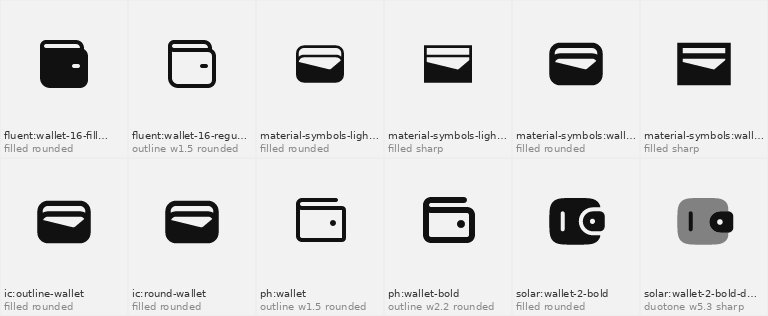
Illustration · not a resultFrom the molamine08/agent-glyphs README — shows the whole collection, not only this skill.source ↗
Find, match and export icons from 400k+ open-source icons (every Iconify set plus open libraries outside Iconify, updated daily) classified by meaning (English and Arabic) and by visual style — outline/filled/duotone, stroke weight on a 24px grid, rounded vs sharp corners, curviness, stroke contrast, density.
by molamine08·MIT license·★ 1 Stars on the repo·GitHub ↗
Files of Agent glyphs
molamine08/
Show the full text117 lines
Agent Glyphs
An index of every open-source icon library: all Iconify sets plus open libraries
outside Iconify (prefix x-…), 400k+ icons. Each icon is measured from its actual
drawing and tagged with its meaning in English and Arabic. Icons are fetched from their
official source on demand (npm / Iconify API, or this project's release for x- sets),
with their licence.
All commands run from this skill's folder. The index (data/atlas.db, ~160 MB; a 33 MB download)
downloads automatically on first use. Style matching and previews need:
pip install -r requirements.txt (search and export alone need only Python 3.10+).
Workflow
- Find the target style first — consistency beats the "best" single icon.
- The project already uses an icon library? Check
package.jsonand stay in it with--set(see the mapping below). Mixing libraries is the most common icon mistake. - The person has their own icons (SVGs)? Run
scripts/match.py <folder>to find the families that look like them, then search with--like <folder>. - Nothing yet? Ask, or choose a coherent family (e.g.
lucide,tabler,ph) and keep every icon from it.
- The project already uses an icon library? Check
- Search by meaning, with style filters:
Output:python scripts/search.py "shopping cart" --set lucide python scripts/search.py "محفظة" --shape outline --stroke light --corners rounded python scripts/search.py "notification" --like tabler # ranked by look python scripts/search.py --cat finance --shape filled --limit 40 python scripts/search.py "home" --shape outline --color duotone --density balancedprefix:name, style, weight, corners, category, licence. Use only names returned by the search — never invent icon names. - Show before choosing when a person will judge the result (designers, unclear asks):
python scripts/preview.py lucide:house tabler:home -o choices.png(or--search "home"), then look at the PNG yourself and share it. - Export into the project:
python scripts/get.py lucide:house lucide:search --out src/icons # SVG files python scripts/get.py ph:bell --format tsx --out src/components/icons # React (jsx|tsx) python scripts/get.py tabler:wallet --stroke 1.5 --size 20 --color "#0F766E" # restyle python scripts/get.py mdi:home --stdout # print inlineget.pywrites/updatesATTRIBUTION.mdnext to the files. - Fill gaps in a set in one step:
python scripts/match.py ./my-icons --need cart wallet "مسجد"(ormatch.py lucide --need ...).
If the project already depends on the library's own package (e.g. lucide-react),
importing from that package is better than copying SVGs — use the search to find the
right name, then import it.
Vocabulary (filters and fields)
| Field | Values | Meaning |
|---|---|---|
shape |
outline, filled, mixed | what the eye sees: lines only, filled areas, or lines with filled parts. An icon named "…-filled" that is drawn with lines is outline |
color |
mono, duotone, multicolor | one colour, a second lighter tone, or its own fixed colours (multicolor cannot be recoloured with CSS). Combines with shape: an outline icon can be duotone |
style |
outline, filled, mixed, duotone, multicolor | older single label (--style): the colour when it is not mono, else the shape |
weight |
number | stroke width as it would be on a 24px icon (Lucide = 2, Heroicons = 1.5) |
weight_class |
hairline <0.6, thin <1.1, light <1.4, regular <1.75, medium <2.25, bold <2.9, heavy; solid for filled |
|
stroke |
thin, light, regular, bold | stroke class on a 24px grid: thin < 1.25 (Phosphor Thin/Light), light ≈ 1.5 (Heroicons, Phosphor), regular ≈ 2 (Lucide, Tabler), bold > 2.15 (Phosphor Bold). --stroke; --weight 1.5 still filters the exact value |
corners |
rounded, mixed, sharp | how real corners (two straight lines meeting) and line ends are drawn; circles and arcs do not count. An icon with no corners takes its family's value |
curves |
geometric, balanced, organic | share of the outline that is curved |
contrast_class |
monoline, moderate, high | variation between thick and thin parts |
density_class |
airy, balanced, heavy | how much of the canvas is ink (--density); keep one density so icons sit together |
container |
circle, square, none | icon drawn inside a circle or square |
complexity |
simple, medium, detailed | amount of detail |
cat, cat2 |
arrows, interface, actions, status, communication, commerce, finance, business, media, files, text, design, devices, development, data, network, ai, security, people, health, transport, maps, weather, nature, food, buildings, home, time, education, sports, culture, tools, shapes, emoji, brands, flags, other |
An icon can have two content categories (cat, cat2); --cat matches either.
Each label has a confidence (style_conf, weight_conf, corners_conf: high / medium /
low). When a choice matters and confidence is not high, look at the preview.
Measured accuracy is in ACCURACY.md.
Common packages → --set prefix: lucide-react → lucide · @tabler/icons-react → tabler ·
@phosphor-icons/react → ph · @heroicons/react → heroicons · @mui/icons-material → ic ·
Material Symbols → material-symbols · @radix-ui/react-icons → radix-icons ·
iconoir-react → iconoir · remixicon → ri · react-feather → feather · bootstrap-icons → bi ·
Font Awesome 6 → fa6-solid / fa6-regular · @fluentui/react-icons → fluent ·
@mdi/js → mdi · hugeicons → hugeicons · simple-icons → simple-icons (brand logos).
Full list: python scripts/sets.py (filter with --search).
Licences — always respect them
- Default results include only licences that allow commercial use: permissive
(MIT, Apache, ISC, OFL, CC0…: no obligation beyond keeping the licence) and
attribution (CC BY: credit the author —
get.pywrites it toATTRIBUTION.md; tell the person). --license anyalso shows share-alike (GPL, CC BY-SA) and non-commercial sets. Use them only when the person explicitly accepts those terms.- Brand logos (
cat=brands) are trademarks: fine to refer to the brand, not to imply endorsement.
Notes
- Right-to-left (Arabic) interfaces: directional icons (arrows, chevrons, back/next,
send, undo/redo) must point the other way — export them with
get.py --mirror. Do not mirror icons that show real-world objects or clocks/checkmarks. - Glyphs are Unicode characters, not drawings: Islamic and Arabic characters that no icon library
draws (﷽ ﷺ ﷻ ۞ ۩ ﴾ ﴿, honorifics such as ﵁ رضي الله عنه) and related emoji (🕌 🕋 📿 ☪).
search.pyreturns them with the icons (prefixunicode,"kind": "glyph", thecharand itscodepoint);--kind glyphreturns glyphs only,--kind iconstill icons only,--kind animatedicons that move (SVG animation: line-md, svg-spinners, meteocons…; the exported SVG keeps the animation). Put a glyph in the text as the character itself (or its HTML entityﷺ/ CSScontent: "\FDFA"), never as an image or SVG.get.py unicode:<name>prints the character. The character needs no licence; the font that draws it does (Noto Naskh Arabic, Amiri and Scheherazade New are OFL). - Search by meaning, not exact names. Arabic and English words are expanded through ~3,900 concept
groups: synonyms, plurals and dialect or loanwords (سيتنج → settings, داشبورد → dashboard,
مسلمين → islam), and closely related things ("مسلم" also finds mosque, crescent, quran). Each JSON
result has
"match": "same"or"related"; same-meaning icons always rank first. Hamza, "ال", plurals and common suffixes do not matter (سلة = السلة = بالسلة). - No network for the index? Set
AGENT_GLYPHS_DATAto a folder containingatlas.db. Icons are fetched from npm (@iconify-json/<prefix>) or the Iconify API and cached in~/.cache/agent-glyphs; setICONIFY_JSON_DIRto use local Iconify JSON files instead.
| 1 | |
| 2 | name agent-glyphs |
| 3 | description Find, match and export icons from 400k+ open-source icons (every Iconify set plus open libraries outside Iconify, updated daily) classified by meaning (English and Arabic) and by visual style — outline/filled/duotone, stroke weight on a 24px grid, rounded vs sharp corners, curviness, stroke contrast, density. Use whenever a UI, app, website, deck or design needs icons, when someone asks for "an icon for X" (in any language, e.g. "أيقونة سلة"), wants icons that match an existing set or brand style, needs to fill gaps in their icon set, or asks which icon library to use. Prefer this over drawing icons by hand or guessing icon names. |
| 4 | |
| 5 | |
| 6 | # Agent Glyphs |
| 7 | |
| 8 | An index of every open-source icon library: all Iconify sets plus open libraries |
| 9 | outside Iconify (prefix `x-…`), 400k+ icons. Each icon is measured from its actual |
| 10 | drawing and tagged with its meaning in English and Arabic. Icons are fetched from their |
| 11 | official source on demand (npm / Iconify API, or this project's release for `x-` sets), |
| 12 | with their licence. |
| 13 | |
| 14 | All commands run from this skill's folder. The index (`data/atlas.db`, ~160 MB; a 33 MB download) |
| 15 | downloads automatically on first use. Style matching and previews need: |
| 16 | `pip install -r requirements.txt` (search and export alone need only Python 3.10+). |
| 17 | |
| 18 | ## Workflow |
| 19 | |
| 20 | **Find the target style first — consistency beats the "best" single icon.** |
| 21 | The project already uses an icon library? Check `package.json` and stay in it |
| 22 | with `--set` (see the mapping below). Mixing libraries is the most common icon mistake. |
| 23 | The person has their own icons (SVGs)? Run `scripts/match.py <folder>` to find |
| 24 | the families that look like them, then search with `--like <folder>`. |
| 25 | Nothing yet? Ask, or choose a coherent family (e.g. `lucide`, `tabler`, `ph`) |
| 26 | and keep every icon from it. |
| 27 | **Search** by meaning, with style filters: |
| 28 | |
| 29 | python scripts/search.py "shopping cart" --set lucide |
| 30 | python scripts/search.py "محفظة" --shape outline --stroke light --corners rounded |
| 31 | python scripts/search.py "notification" --like tabler # ranked by look |
| 32 | python scripts/search.py --cat finance --shape filled --limit 40 |
| 33 | python scripts/search.py "home" --shape outline --color duotone --density balanced |
| 34 | |
| 35 | Output: `prefix:name`, style, weight, corners, category, licence. Use only names |
| 36 | returned by the search — never invent icon names. |
| 37 | **Show before choosing** when a person will judge the result (designers, unclear asks): |
| 38 | `python scripts/preview.py lucide:house tabler:home -o choices.png` (or `--search "home"`), |
| 39 | then look at the PNG yourself and share it. |
| 40 | **Export** into the project: |
| 41 | |
| 42 | python scripts/get.py lucide:house lucide:search --out src/icons # SVG files |
| 43 | python scripts/get.py ph:bell --format tsx --out src/components/icons # React (jsx|tsx) |
| 44 | python scripts/get.py tabler:wallet --stroke 1.5 --size 20 --color "#0F766E" # restyle |
| 45 | python scripts/get.py mdi:home --stdout # print inline |
| 46 | |
| 47 | `get.py` writes/updates `ATTRIBUTION.md` next to the files. |
| 48 | **Fill gaps in a set** in one step: |
| 49 | `python scripts/match.py ./my-icons --need cart wallet "مسجد"` (or `match.py lucide --need ...`). |
| 50 | |
| 51 | If the project already depends on the library's own package (e.g. `lucide-react`), |
| 52 | importing from that package is better than copying SVGs — use the search to find the |
| 53 | right name, then import it. |
| 54 | |
| 55 | ## Vocabulary (filters and fields) |
| 56 | |
| 57 | | Field | Values | Meaning | |
| 58 | |---|---|---| |
| 59 | | `shape` | outline, filled, mixed | what the eye sees: lines only, filled areas, or lines with filled parts. An icon named "…-filled" that is drawn with lines is `outline` | |
| 60 | | `color` | mono, duotone, multicolor | one colour, a second lighter tone, or its own fixed colours (multicolor cannot be recoloured with CSS). Combines with `shape`: an outline icon can be duotone | |
| 61 | | `style` | outline, filled, mixed, duotone, multicolor | older single label (`--style`): the colour when it is not mono, else the shape | |
| 62 | | `weight` | number | stroke width as it would be on a 24px icon (Lucide = 2, Heroicons = 1.5) | |
| 63 | | `weight_class` | hairline <0.6, thin <1.1, light <1.4, regular <1.75, medium <2.25, bold <2.9, heavy; `solid` for filled | |
| 64 | | `stroke` | thin, light, regular, bold | stroke class on a 24px grid: thin < 1.25 (Phosphor Thin/Light), light ≈ 1.5 (Heroicons, Phosphor), regular ≈ 2 (Lucide, Tabler), bold > 2.15 (Phosphor Bold). `--stroke`; `--weight 1.5` still filters the exact value | |
| 65 | | `corners` | rounded, mixed, sharp | how real corners (two straight lines meeting) and line ends are drawn; circles and arcs do not count. An icon with no corners takes its family's value | |
| 66 | | `curves` | geometric, balanced, organic | share of the outline that is curved | |
| 67 | | `contrast_class` | monoline, moderate, high | variation between thick and thin parts | |
| 68 | | `density_class` | airy, balanced, heavy | how much of the canvas is ink (`--density`); keep one density so icons sit together | |
| 69 | | `container` | circle, square, none | icon drawn inside a circle or square | |
| 70 | | `complexity` | simple, medium, detailed | amount of detail | |
| 71 | | `cat`, `cat2` | arrows, interface, actions, status, communication, commerce, finance, business, media, files, text, design, devices, development, data, network, ai, security, people, health, transport, maps, weather, nature, food, buildings, home, time, education, sports, culture, tools, shapes, emoji, brands, flags, other | |
| 72 | |
| 73 | An icon can have two content categories (`cat`, `cat2`); `--cat` matches either. |
| 74 | Each label has a confidence (`style_conf`, `weight_conf`, `corners_conf`: high / medium / |
| 75 | low). When a choice matters and confidence is not high, look at the preview. |
| 76 | Measured accuracy is in `ACCURACY.md`. |
| 77 | |
| 78 | Common packages → `--set` prefix: lucide-react → `lucide` · @tabler/icons-react → `tabler` · |
| 79 | @phosphor-icons/react → `ph` · @heroicons/react → `heroicons` · @mui/icons-material → `ic` · |
| 80 | Material Symbols → `material-symbols` · @radix-ui/react-icons → `radix-icons` · |
| 81 | iconoir-react → `iconoir` · remixicon → `ri` · react-feather → `feather` · bootstrap-icons → `bi` · |
| 82 | Font Awesome 6 → `fa6-solid` / `fa6-regular` · @fluentui/react-icons → `fluent` · |
| 83 | @mdi/js → `mdi` · hugeicons → `hugeicons` · simple-icons → `simple-icons` (brand logos). |
| 84 | Full list: `python scripts/sets.py` (filter with `--search`). |
| 85 | |
| 86 | ## Licences — always respect them |
| 87 | |
| 88 | Default results include only licences that allow commercial use: **permissive** |
| 89 | (MIT, Apache, ISC, OFL, CC0…: no obligation beyond keeping the licence) and |
| 90 | **attribution** (CC BY: credit the author — `get.py` writes it to `ATTRIBUTION.md`; |
| 91 | tell the person). |
| 92 | `--license any` also shows share-alike (GPL, CC BY-SA) and non-commercial sets. |
| 93 | Use them only when the person explicitly accepts those terms. |
| 94 | Brand logos (`cat=brands`) are trademarks: fine to refer to the brand, not to imply endorsement. |
| 95 | |
| 96 | ## Notes |
| 97 | |
| 98 | Right-to-left (Arabic) interfaces: directional icons (arrows, chevrons, back/next, |
| 99 | send, undo/redo) must point the other way — export them with `get.py --mirror`. |
| 100 | Do not mirror icons that show real-world objects or clocks/checkmarks. |
| 101 | Glyphs are Unicode characters, not drawings: Islamic and Arabic characters that no icon library |
| 102 | draws (﷽ ﷺ ﷻ ۞ ۩ ﴾ ﴿, honorifics such as ﵁ رضي الله عنه) and related emoji (🕌 🕋 📿 ☪). |
| 103 | `search.py` returns them with the icons (prefix `unicode`, `"kind": "glyph"`, the `char` and its |
| 104 | `codepoint`); `--kind glyph` returns glyphs only, `--kind icon` still icons only, `--kind animated` |
| 105 | icons that move (SVG animation: line-md, svg-spinners, meteocons…; the exported SVG keeps the animation). Put a glyph in the text |
| 106 | as the character itself (or its HTML entity `ﷺ` / CSS `content: "\FDFA"`), never as an image |
| 107 | or SVG. `get.py unicode:<name>` prints the character. The character needs no licence; the font that |
| 108 | draws it does (Noto Naskh Arabic, Amiri and Scheherazade New are OFL). |
| 109 | Search by meaning, not exact names. Arabic and English words are expanded through ~3,900 concept |
| 110 | groups: synonyms, plurals and dialect or loanwords (سيتنج → settings, داشبورد → dashboard, |
| 111 | مسلمين → islam), and closely related things ("مسلم" also finds mosque, crescent, quran). Each JSON |
| 112 | result has `"match": "same"` or `"related"`; same-meaning icons always rank first. Hamza, "ال", |
| 113 | plurals and common suffixes do not matter (سلة = السلة = بالسلة). |
| 114 | No network for the index? Set `AGENT_GLYPHS_DATA` to a folder containing `atlas.db`. |
| 115 | Icons are fetched from npm (`@iconify-json/<prefix>`) or the Iconify API and cached in |
| 116 | `~/.cache/agent-glyphs`; set `ICONIFY_JSON_DIR` to use local Iconify JSON files instead. |
| 117 |
Discussion
Browse more free Claude skills.